Up next in 10

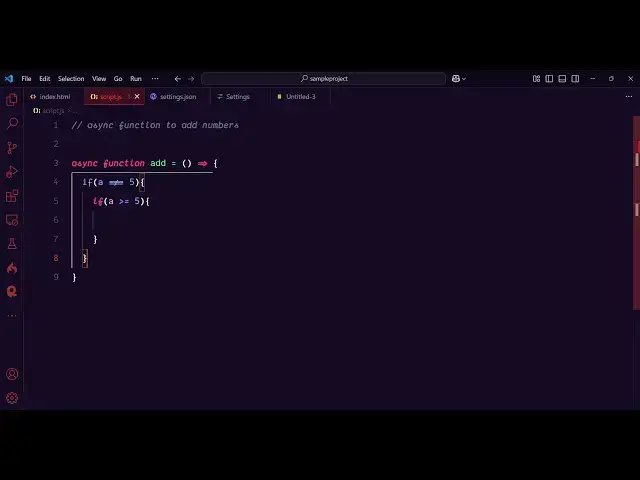
Dank Mono vs Jetbrains Mono vs Cascadia Code vs MonoLisa vs Fira Code in VS Code Live Video
Feb 25, 2025

Watch My Visual Studio Code IDE Setup Video For Fonts,Themes & Extensions
https://youtu.be/Bon8Pm1gbX8
Hi Join the official discord server to resolve doubts here:
https://discord.gg/cRnjhk6nzW
Visit my Online Free Media Tool Website
https://freemediatools.com/
Buy Premium Scripts and Apps Here:
https://procodestore.com/
Show More Show Less View Video Transcript
0:00
uh hello guys welcome to this video so
0:02
in this video I will show you the top
0:04
five programming fonts that I use inside
0:07
vs code in a day-to-day coding basis so
0:10
I will show this is little bit of
0:12
comparison video between five premium
0:15
programming fonts which are there in vs
0:17
code in 2025 the very first font that I
0:21
will use guys here let me just tell you
0:24
the it is there on the fifth position
0:27
which is FEA code so if you just uh f i
0:33
r a c o d e this is actually the name of
0:36
the font FAA code and as soon as you
0:40
write it you will see it will look
0:42
something like
0:45
this and this is
0:47
actually you can see as I'm writing
0:53
here so it looks something like this it
0:57
also have font legates as well so if you
1:01
write triple equal to it will change to
1:04
this symbol if you see this is a special
1:07
for liat and same goes with the this
1:10
symbol as well let's
1:12
suppose a greater than or equal to it
1:15
will change to
1:17
this so these have these special symbols
1:20
which are there these are called as font
1:22
ligatures special symbols this is the
1:26
first font which is FEA code and the
1:29
nice thing about this font it's
1:30
completely free you can definitely
1:33
install it F code just write this and
1:35
it's available in Google
1:39
fonts and you can directly download this
1:42
font and just use
1:45
it I use it a lot while I'm coding and
1:49
also you will see if I you will see this
1:54
this Arrow will look something like this
1:56
this is also the for legates so it will
2:00
turn these symbols so it looks uh your
2:03
code it makes your code Beautiful by
2:05
using this and now we'll be showing you
2:07
the second font which is called as it's
2:11
a fourth position it comes it is is a
2:15
premium font it's a paid font which is
2:18
Mona
2:20
Lisa so this is actually the phont guys
2:23
as you can see as I applied this font it
2:25
changes the text and uh
2:30
now if I write the same code you will
2:32
see
2:34
that this also have the same ligates but
2:38
you will see the slight difference in
2:39
between it looks more beautiful Thana
2:42
code you can see the comment also it
2:44
looks something like
2:46
this and uh the legates are the same uh
2:50
if you
2:51
say the triple equal to and all that
2:54
stuff will be the same it also supports
2:56
that as well but you will see it looks
2:59
pretty good the thickness of the font
3:03
here it turns this italic bolt because
3:06
we applied this setting if you see for
3:08
every comment keybo keyword special
3:10
keyword we are changing the phone style
3:12
to italic bolt so this does support this
3:15
more Mona font here you'll see it
3:18
supports this and you can see that's how
3:21
beautifully it looks looking that like
3:23
this this is monola and it's a premium
3:28
font I have all these phones available
3:32
so if you go to the website it's
3:35
official website monolisa
3:38
DDE and it's
3:41
around if you go to the get monisa so
3:46
basically it uh the complete one will be
3:49
around
3:50
7,999 Indian rupees so the complete full
3:55
cing so in this way you can do this so
3:58
it's a very big basic good
4:01
for and now I'll be showing you the
4:03
third font which
4:05
is another premium for which is Cascadia
4:09
Pro so if you just write here
4:11
Cascadia c a s c a DI Cascadia
4:18
code so this is also a very pretty font
4:22
you will see that now it changes this
4:24
code you can see how it is
4:27
italic cursive font you will see it
4:29
changes this it also have the same
4:33
ligatures if you
4:35
see Triple equal to less than equal to
4:38
these
4:40
arrows so this is your Cascadia code
4:46
and you can just see how if I change the
4:50
theme here it looks very pretty you'll
4:52
see these
4:53
phones you can see how beautiful it is
4:56
looking and uh you can see the phone
4:59
soorry the comments
5:02
also so as you write your code if you're
5:05
recording a YouTube video it's very good
5:07
that you use these fonts and again this
5:11
is I think it's paid font Cascadia code
5:14
if you just write this no it's free
5:17
phone developed by Microsoft it's not
5:20
paid phone it's completely free you can
5:22
directly install it by downloading it so
5:24
it contains this italic cursive font
5:27
it's very nice it looks something like
5:29
this now I'll be showing you the fourth
5:31
font which comes in this
5:34
list which is
5:37
a another free font which is jet
5:42
brains mono so this
5:45
font is slightly thick thinner but you
5:48
will see it has a very beautiful look as
5:53
I change the font here you will see that
5:55
it
5:56
changes the code here you will see
6:00
it looks something like this it also
6:02
have the font legates that you seeing
6:04
right here can see it has the same
6:07
legates but you will see the slight
6:09
difference between the previous fonts
6:11
and this phone because the text is
6:13
looking very beautiful and uh it's a
6:16
very good font you will see that's why I
6:20
prefer it a lot to use
6:22
it you'll
6:24
see the comments also looks pretty good
6:29
we'll see that
6:31
so this is
6:34
the third font in the
6:38
list you can see the arrows if you just
6:41
make it it's basically the same right
6:45
here and if you just write not equal
6:49
to so it changes to this you'll see how
6:52
beautiful it is looking these are called
6:53
as font legates these are special
6:56
symbols and Jet brains more know if you
7:00
just write this and so Open Source phone
7:03
develop it
7:06
comes it is developed by this company
7:09
Jet brins and it inside jet brins IDE it
7:12
comes by default but here you can simply
7:15
click the download phone button to
7:17
directly in install it and then you can
7:19
use it inside your V vs code it's very
7:22
simple now we have looked at the four
7:25
fonts now the last one guys the number
7:27
one font that I personally like and use
7:30
it now which is dark dank mono this is a
7:36
paid font but uh this font I love uh
7:40
this is my favorite font among all fonts
7:43
dank mono and you can see as I change it
7:47
how beautifully it has changed you will
7:49
see it has this cursive phone that I
7:51
personally like here you can see the
7:54
special keywords are highlighted by this
7:56
cursive font which I personally like so
7:58
let me just write the code once again so
8:01
as I write the you will see how
8:03
beautifully it is looking let me just
8:05
zoom in so just if you are watching it
8:09
is also it looks pretty good to code
8:13
because you can
8:15
see how beautifully it is
8:19
looking it has all
8:24
the can see legates are the same right
8:27
here and also if you see
8:35
if the F here is styled here because
8:38
it's a cursive f so that's
8:45
why so special symbols are highlighted
8:49
it is cursive you will see this is async
8:52
this F symbol how it is St here I
8:54
personally like this font and it's a
8:57
premium font but uh
9:00
you just write D mono this is actually
9:03
the
9:04
website and it aesthetic font it looks
9:07
great on the eye and if you don't need
9:10
to purchase it you can directly do
9:13
this by going to this website it's
9:16
personal license is only €10 then for
9:19
commercial it is 24 I personally
9:21
purchase it and it's a onetime invest
9:24
investment and it looks pretty
9:26
good and I personally like it on the
9:30
terminal as well so if I open my
9:32
terminal I use it on my terminal as well
9:35
so if I try to open the
9:39
terminal you can see I use the same fod
9:42
in the terminal as well so you can
9:45
see so the f is styled here so it is
9:50
always this is the D mono so we are also
9:53
using the same font in the terminal as
9:55
well so these are my five personal
9:58
program fonts that I personally use but
10:01
I'm using this font D mono this is my
10:04
first second one is jet brains mono
10:06
third one is Cascadia code fourth is
10:09
monolisa FAA code is fifth FAA code is
10:13
free monolisa is paid Cascadia code is
10:16
also free jet brains is free and this D
10:19
mono is paid so it's totally up to you
10:24
whichever phont you want to like it I
10:26
personally showed you all the fonts
10:28
comparison step by step in this video so
10:31
whatever phone that you want to like you
10:33
can purchase it and one more setting you
10:35
do need to do uh after you apply this
10:39
font you need to change editor font
10:42
weight property normal and then this
10:44
customization you do need to add right
10:46
here for special symbols such as the
10:49
comment keyword storage you do need to
10:52
make your phont italic Bol to get this
10:54
nice little uh cursive because if you
10:58
don't do this if I remove this let's
11:00
suppose I don't do this this will not be
11:03
highlighted if you see it will appear as
11:06
normal text but you do need to make this
11:09
italic bolt because we need to change it
11:11
so now it changes to italic bols for
11:14
special symbols such as comments special
11:16
symbols inside reserved keywords it will
11:19
highlight those keywords so just make
11:21
this setting and font legates so if I
11:25
just make it as false so these special
11:28
font Ates will not be present so you can
11:31
see it will be highlighted
11:34
as so you can turn them off as well if
11:37
your user doesn't like it but personally
11:39
I love the font liat so just put the
11:42
true property and now it will be
11:44
highlighted so these are my five
11:47
personal best programming phone skes so
11:49
thank you very much for watching this
11:51
video and also check out my website
11:54
which is free mediat tools.com
11:57
uh which contains thousands of tools
12:00
regarding audio video and image and I
12:02
will be seeing you guys in the next
12:04
video
#Development Tools