Up next in 10

Build a React Offline Client Side Audio,Image & Video Converter in Browser Using FFMPEG WASM in JSX
Mar 5, 2026

Buy the full source code of application here:
https://procodestore.com/index.php/product/build-a-react-offline-client-side-audioimage-video-converter-in-browser-using-ffmpeg-wasm-in-jsx/
Show More Show Less View Video Transcript
0:00
Uh hello guys, welcome to this video. So
0:02
in this video I'll show you I built out
0:04
a ReactJS client side media converter.
0:08
So which is audio image and video
0:10
converter directly in browser. So we
0:12
running this project local host.
0:15
So it's fully private 100% private all
0:18
the processing directly happens in the
0:19
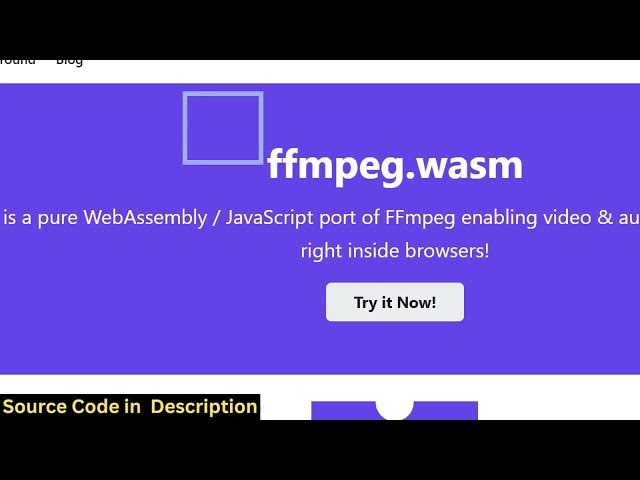
browser using ffmpg web assembly
0:22
library. So this is actually the library
0:24
open-source library which allows you to
0:26
use ffmppg directly in the browser. So
0:30
we are using this and the interface is
0:32
quite simple. You drag and drop your
0:34
media file which can be video, audio or
0:37
image file. So this is the full
0:39
directory structure of this react
0:40
project. Each and every component is
0:42
coded directly in Typescript. So it's
0:46
easy for you to customize this and add
0:48
additional features. So you can directly
0:50
purchase the source code. The link is
0:52
given in the description. So we are also
0:54
using Tailwind CSS as well. ffmpg web
0:57
assembly library
0:59
and these are set of commands here for
1:02
running it this project locally and
1:04
building it out. So we are running it as
1:07
you can see locally
1:09
so it's easy for you to deploy this as
1:11
well. So after purchase you will get the
1:14
source code from Google drive
1:15
automatically. So let me show you the
1:18
demo of the application. So first of all
1:20
you select whatever file that you want
1:23
to convert.
1:25
It can be a video file. It can be audio
1:27
or image file. So let me select the
1:29
video file MP4. Uh let's suppose I want
1:33
to convert this to AVI.
1:36
You click the start button and the
1:38
processing will start and once it
1:41
completes you will get the notification.
1:48
So each and every processing directly
1:50
happens in the browser. You can do this
1:53
unlimited number of times. So I can open
1:55
a new tab and do the same thing.
2:02
Let me select the image file. So again
2:04
you have all these options to convert
2:06
this image to webp.
2:10
So now once the processing finishes you
2:13
will get this notification. You can see
2:15
the download button. So you click the
2:17
download button to actually download the
2:20
output file here. So it successfully
2:23
converted your image to a P image.
2:27
So this is a converter here. Same goes
2:30
with video as well. So totally depends
2:32
upon the size of the video as well. So
2:34
it's still converting and same goes you
2:37
can select multiple files at once as
2:39
well. So you can select multiple files.
2:43
So again you can do bul processing. So
2:46
just select the required format and it
2:48
will process file one by one. Click
2:51
this. You can see that. So it's support
2:55
multiple processing as well. So you
2:57
select your files
3:00
and same goes with audio as well. So you
3:03
select the audio file. Simply select the
3:05
format.
3:10
So again it finishes. So you can just
3:12
see here how easy it is to actually
3:15
convert media files from one format to
3:17
another.
3:21
So we are using this fmpg web assembly
3:24
library inside this react project. So if
3:27
you're interested in this you can
3:29
directly purchase it and we are still
3:32
using tailwind CSS as well for building
3:35
out the user interface of the
3:36
application.
3:40
So you can just see here all the files
3:43
are there in this. So you can basically
3:47
customize the look and feel of the
3:49
application as well. So it will save you
3:51
a lot of time and it's fully
3:53
customizable. Uh it's fully responsive
3:55
as well. So it works perfectly on mobile
3:58
devices as well. It also supports dark
4:01
theme as well as you can see.
4:06
So it will save you a lot of time if
4:08
you're looking forward for building this
4:09
kind of a website. You can purchase a
4:12
domain and easily deploy this by running
4:14
the build command and it will build out
4:17
the entire React project.
4:23
So the possibilities are endless.
4:25
[clears throat] You can also learn a lot
4:27
by seeing how I coded this from scratch
4:30
using FFMPPG.
4:32
So these kinds of apps and websites are
4:35
really useful because users are looking
4:37
forward for converting their media
4:39
files.
4:41
So and definitely if you're interested
4:45
so the thing is that all the processing
4:48
is happening directly in the browser.
4:52
So there is no back end or server side.
4:55
All the processing directly happens on
4:57
the user device.
5:00
So there is no limits to it. The user
5:04
can upload many files up to a time.
5:10
So if you still are interested in this
5:14
uh definitely purchase it
5:18
and if you still face any problem I will
5:21
definitely help you.
5:30
So
5:33
now if you just want to build out this
5:35
application, you run the build command.
5:37
So
5:39
this will deploy your application. npm
5:41
run build. So this will compile all the
5:44
assets into a single file.
5:47
You can see it's compiling and building
5:50
out your React application.
5:56
>> [snorts]
5:56
>> So everything is compiled here into a
5:59
public fold into a dist folder. So now
6:01
you can upload this folder to any
6:03
hosting platform to host this website.