Up next in 10

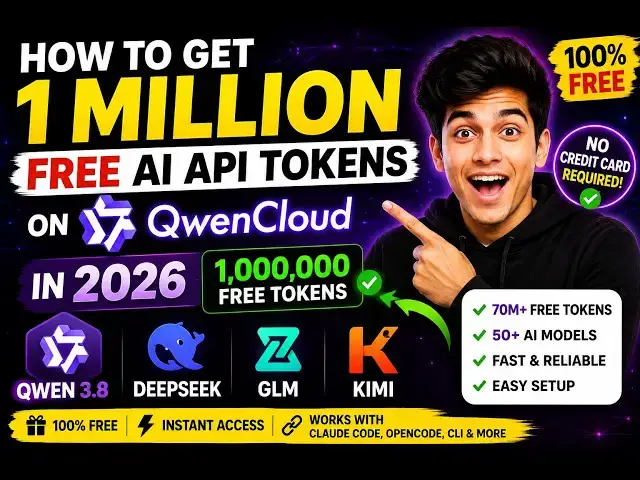
How to Get 1 Million FREE AI API Tokens on QwenCloud in 2026 – Qwen 3.8, DeepSeek, GLM & Kimi Models
Aug 12, 2026

Buy the full source code of application here:
Watch My Visual Studio Code IDE Setup Video For Fonts,Themes & Extensions
https://youtu.be/Bon8Pm1gbX8
Hi Join the official discord server to resolve doubts here:
https://discord.gg/cRnjhk6nzW
Visit my Online Free Media Tool Website
https://freemediatools.com/
Buy Premium Scripts and Apps Here:
https://procodestore.com/
Show More Show Less View Video Transcript
0:00
Hello guys, in this video I'll show you
0:02
Alibaba Cloud, which is actually the
0:04
owner of Qwen models, which is a Chinese
0:07
based model.
0:08
So, so they have a website where you can
0:10
get
0:12
1 million credits for totally free. So,
0:14
if you directly write here Qwen Cloud
0:18
on Google, Qwen Cloud you need to write,
0:20
Q W E N C L O U D.
0:23
The very first website which comes
0:27
So, just write here Qwen Cloud.
0:30
This is the website that I'm talking
0:32
about, Qwen Cloud.
0:34
This website offers you 1 million free
0:36
tokens of this latest model, which is
0:38
Qwen 3.8 max. So, it provides you a free
0:42
API gateway where you can call all these
0:44
models for totally free.
0:47
So,
0:49
first of all, you need to sign up.
0:51
Click on get started and
0:54
you just need to sign up.
0:56
You have two options. You can log in
0:58
with your Google account or GitHub
1:00
account.
1:01
Just log in with your Google account.
1:05
So, after you grant the permissions, you
1:07
will be redirected to the dashboard
1:09
area.
1:10
This is actually a Chinese based model,
1:12
Qwen 3.8 max, which is the latest model
1:15
in the series.
1:19
So, from one account I already logged in
1:21
as you see right here. This is the
1:23
dashboard once you log in.
1:33
So, dashboard looks something like this.
1:38
Welcome to Qwen Cloud.
1:42
So, they have a exact very good
1:45
documentation where you can call all
1:47
these models for totally free.
1:50
So, now to create the API key,
1:52
you click on that
1:54
and click on create API key.
1:58
And just give it a name.
2:00
And
2:01
So this is right here your API key. So
2:03
simply copy this API key.
2:07
So they also have a playground section
2:08
where you can try out all the models for
2:11
totally free.
2:13
So right here, let me just
2:16
store this API key.
2:26
So I stored this API key and
2:29
So this is actually a playground section
2:31
where you can try out
2:33
the model. We have Coin 3.8 max model.
2:46
So right here, you get 100% of quota,
2:49
which is 1 million tokens.
2:51
I can even show you.
2:54
You will see that remaining free quota,
2:57
1 million tokens. 100%.
3:00
So right here, you specify any kind of
3:03
message.
3:12
So you will see that it will respond to
3:14
you. Coin 3.8 max. Which is the latest
3:17
model. So can simply tell it
3:31
So I simply tell it to make an image to
3:33
PDF web application browser. So you will
3:35
see that now it will create a full stack
3:37
coding application. It is generating the
3:39
code as well.
3:41
So it is very easy.
3:44
You also have image generation, video
3:46
generation, text to speech, speech to
3:48
text. Everything is there inside these
3:50
models.
3:51
And in this way you can get free access
3:54
to Quen 3.8X
3:56
8 max model, which is the latest model.
3:58
From here you can switch the model as
4:00
well
4:01
from the drop down. So all the models
4:04
are present, deep seek, GLM,
4:07
Quen, all these models are there.
4:15
So as you can see, it's still generating
4:17
it.
4:18
So now it generated a full
4:20
coding application. So you will see
4:22
that.
4:23
So now it does provide you with a free
4:25
API key that I sh-
4:27
uh stored this. So you click on call
4:29
API, you can also
4:32
call this
4:34
API, simply copy this Python script.
4:37
Uh now let me show you how to call this
4:39
through API. So I create this Python
4:42
script. I paste it. And inside the model
4:45
we specify Quen 3.8 max.
4:48
And right here you need to paste your
4:50
API key. So whatever API key that you
4:54
Let me copy this API key.
4:56
And simply paste it.
5:00
So in double quotes I paste the API key
5:02
as you can see right here.
5:04
So this is a base URL in which the API
5:07
will respond.
5:09
And we are printing out the text.
5:12
So we are simply
5:16
asking a question.
5:18
This is your image. We are simply asking
5:21
what
5:22
is depicted in the image. So we are
5:24
asking the AI just tell about what is to
5:28
see inside the image. Let me call this
5:32
model in the terminal. I execute this
5:35
Python script. Python app.py.
5:38
So now as you see, it will respond to
5:41
you.
5:43
So it's a complete example. As you see,
5:46
we copy pasted from the dashboard area.
5:49
We replace the API key.
5:51
So,
5:54
now it's very simple.
5:56
It will respond to you.
6:00
And print out whatever it is saying in
6:02
the image.
6:04
You basically ask the question, "What is
6:06
depicted in the image?"
6:12
So, sorry if you are doing it for the
6:14
very first time, you do need to install
6:16
this model. pip install
6:19
dash
6:20
scope.
6:22
You simply install this model and then
6:24
execute this Python script.
6:35
In the meantime, you can even use this
6:38
API key through clean as well, which is
6:40
a VS Code extension, which makes it very
6:42
much easy to call APIs.
6:45
This extension, you can go to the
6:47
settings right here.
6:49
And
6:50
from here you select OpenAI compatible
6:54
from the API provider. Then you need to
6:56
paste the base URL and the API key.
6:59
So, both these things you can get.
7:01
Simply open the OpenAI and copy-paste
7:07
this
7:10
base URL.
7:14
After that,
7:16
uh
7:17
paste your API key as well.
7:25
And in the model ID, you need to paste
7:28
whatever model that you're using. So, we
7:30
need to use this quant 3.8 max model.
7:38
So, we pasted all these three things:
7:40
base URL, API key, and this model ID.
7:44
After that, click on done and simply ask
7:47
a message.
7:48
Hi. It will respond to you.
7:58
So, just wait. If you are doing it for
7:59
the very first time, it takes some time.
8:01
After that, subsequent messages will not
8:03
take too much time. So, it just takes
8:06
some few 5 to 10 seconds if you are
8:09
asking the first message.
8:11
So,
8:13
this is overall process, guys. This
8:16
website when cloud.com provides free API
8:19
key, LLM gateway to call unlimited when
8:22
3.8 max model deep seek
8:26
GLM. All these models, simply sign up
8:28
and you get 1 million tokens.
9:14
You can If this example is not working,
9:16
you can use the OpenAI compatible
9:18
example.
9:41
>> So, I paste the API key.
10:05
I just call this script python app.
10:25
Right here, we're asking this question.
10:27
We're providing this model.
10:29
This is our question, which is larger,
10:31
9.9 or 9.11?
10:42
So, typically it takes some time.
10:44
If you're doing it for the very first
10:46
time, but this I've checked this in the
10:48
past. It's completely working. This is
10:50
the response is API.
10:52
We also have completions API as well.
10:57
And this is the playground section that
10:58
is perfectly working.
11:00
And you get this
11:03
1 million tokens
11:05
as I showed you.
11:06
And uh
11:08
this is the token plan they also have.
11:14
A pro plan as well, but
11:17
I think the free plan is more than
11:19
enough. You can also integrate this with
11:22
the third-party coding agents like when
11:24
code, not code, cursor, Killo CLI,
11:26
codex, and
11:31
So, now it as you can see that it
11:33
responded. We need answer simple
11:35
comparison. 9.9 is larger than 9.11.
11:40
So, as you can see it gave us the
11:42
answer.
11:43
Let me change the question.
11:45
Uh
11:47
I say
11:50
which is
11:51
the prime minister
11:53
of
11:59
So, I simply ask him a question right
12:00
here to
12:21
So, we're asking a question right here,
12:22
as you can see.
12:39
So, you can see that it actually
12:41
answered.
12:45
You can see that. Now, it gave you the
12:47
full answer with description directly in
12:50
the terminal. So, this is a free API,
12:52
guys. Free API key with 1 million
12:55
tokens, as I showed you. Definitely try
12:58
this website. Just register, and you
13:00
will get 1 million tokens of free API
13:03
key.
13:04
So, definitely check this out. And
13:07
thank you very much for watching this
13:09
video.
#Jobs & Education