Up next in 10


Get the full source code of application here:
Show More Show Less View Video Transcript
0:00
Uh hello guys, welcome to this video. So
0:01
in this video, I'll show you a VS code
0:03
extension for your Astro projects. Astro
0:06
as you all know, it's a very popular
0:09
static file generator for. So this is
0:12
the extension Astro file generator.
0:14
Simply search on VS code and simply
0:16
install this extension.
0:19
As soon as you install this, you will
0:22
have this option to creating
0:25
Astro files automatically. is right in
0:27
the folder itself. If you go to the
0:29
command pallet and simply type here
0:31
Astro and you will see quite a number of
0:34
options will come right here. Astro file
0:36
generator. You can generate a basic
0:38
component or a basic page or a layout
0:41
styled component. Let me select generate
0:44
a basic page and here you need to give
0:46
it a folder name. So whatever is your
0:48
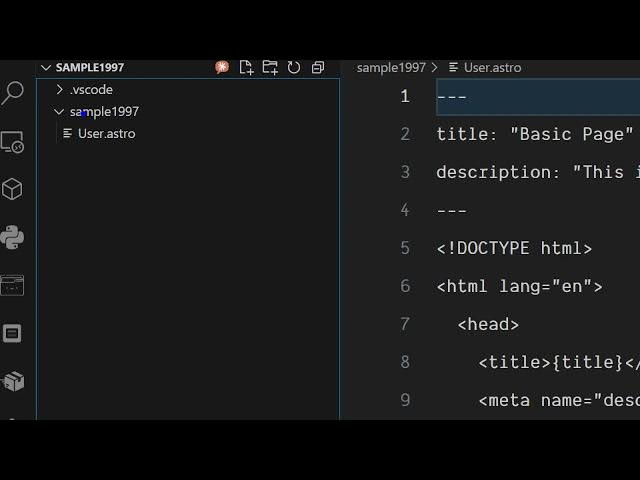
folder name just give I mine is sample
0:51
1997 and just create a component name.
0:55
So now you will see it will create a
0:57
basic Astro component in the folder
1:00
user.astro
1:02
and you can see it automatically
1:04
generated this file for you. So you
1:06
don't need to manually create the file
1:09
you can use this extension and similarly
1:11
it will add this option write itself. If
1:14
you write click Astro file generator. So
1:17
if you're working with Astro framework,
1:19
you can generate a basic component. Just
1:21
give it a name
1:24
user component.
1:27
And now you will see your component will
1:29
be automatically generated for you.
1:32
And same thing again astro file
1:35
generator. If you want to generate a
1:38
static page,
1:42
you can even create a static page as
1:44
well. You can see automatically the date
1:47
boiler plate code has been generated. So
1:49
all the files are there. If you want to
1:51
create a styled component,
1:55
you can see that. So definitely try this
1:58
extension guys which supports creating
2:00
your Astro files automatically for you
2:03
inside VS Code.