Up next in 10

VibeKit Securely Run Claude, Cursor & More in AI Sandboxes — INSANE Safety, UNLIMITED Agents!
Aug 15, 2025

Get the full source code of application here:
Show More Show Less View Video Transcript
0:00
Uh hey guys welcome to this video. So in
0:02
this video I'll show you a very good
0:04
tool for developers and programmers
0:06
which is called as wipkit.sh.
0:09
If you go to the browser simply type
0:11
this address and this is an open-source
0:14
coding agent right inside your terminal
0:16
and you will be able to use any sort of
0:19
AI model such as claude gemini codeex
0:22
from your terminal itself in a clean
0:25
isolated environment. So this is the
0:28
command to install this. You will see
0:30
it's completely open source, free to
0:32
use. There is no subscription any kind
0:34
of fees. You execute this by this
0:38
command here npm-
0:41
G for globally installing it. Wipe kit.
0:43
So if you are on the VS code,
0:48
you simply open a command line window
0:50
and simply installing it.
0:58
So just npmi-g
1:00
wipe kit. So go to the terminal simply
1:04
install this by globally install this by
1:07
executing this command. After you
1:10
install it, now you can actually
1:14
use any AI provider directly
1:18
which is plot code or Gemini or
1:21
anything.
1:24
So basically it runs it locally local
1:27
sandbox
1:28
universal agent support secure data
1:32
reduction all these.
1:37
So once it is installed, it will take
1:39
some time to install right here. So you
1:41
will basically get this notification. It
1:43
is installed here.
1:47
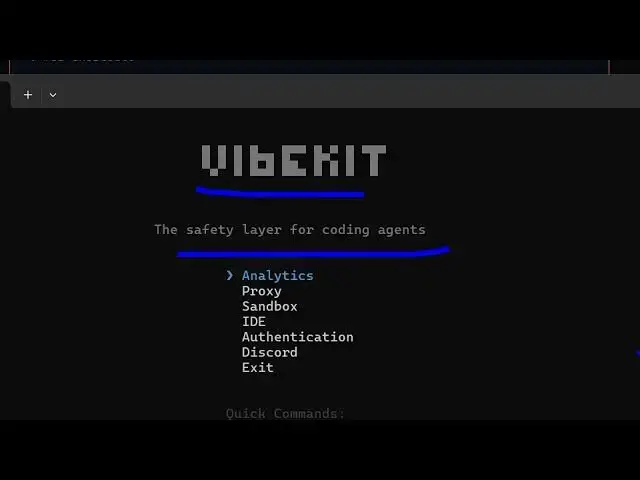
So you'll be welcome right here. Wipe
1:49
kit safety layer for coding agents. So
1:52
right here you can select these options.
1:54
Let me select IDE.
2:08
So
2:11
now if you want to run something here,
2:12
you simply write here wipe kit. And if
2:15
you want to run Gemini, you simply type
2:17
wipe kit uh space Gemini. And now it
2:21
will run the Gemini model for you.
2:26
So first of all, you do need to
2:30
turn on the
2:34
just go to the ID
2:36
sorry the sandbox.
2:40
this ID just changes to on
2:47
and just type here.
2:53
So here you just need to replace your
2:54
own API key. So these are all the
2:56
commands here. Wipe kite clot gemini
2:58
codeex cursor agent.
3:02
This is a very useful tool. Definitely
3:04
try this
3:08
works offline. You will see no cloud
3:10
dependencies or internet required. It
3:12
works entirely on your own machine. So
3:15
if you have installed locally model you
3:18
can visit this website to install any
3:21
open-source model. So if you're using
3:24
deepseek you can install this model and
3:27
use it with this tool as well.
3:32
So
3:33
you can even read more about it inside
3:36
the documentation as well.
3:46
And also check out this is their doc
3:49
section right here. So step-by-step
3:50
instruction is given right here. So
3:54
you can read this
3:56
instruction the installation everything
3:59
quick reference.
4:02
So it should have NodeJS cloud code cli
4:05
CLA for the
4:09
global installation is this project
4:12
initialization.
4:19
So after installing this you should have
4:21
cloud code installed
4:23
and then you need to for cloud you need
4:26
to set the API key for Gemini save
4:30
and after that you set the API key. Now
4:33
you simply type vkit.
4:42
So also check out my website
4:45
freemediattools.com
4:46
uh which contains thousands of tools.
#Development Tools
#Open Source