Up next in 10

This Windsurf AI Coding IDE & Agent is INSANE to Build & Deploy Full Stack Apps From Prompt For FREE
Apr 10, 2026

Watch My Visual Studio Code IDE Setup Video For Fonts,Themes & Extensions
https://youtu.be/Bon8Pm1gbX8
Hi Join the official discord server to resolve doubts here:
https://discord.gg/cRnjhk6nzW
Visit my Online Free Media Tool Website
https://freemediatools.com/
Buy Premium Scripts and Apps Here:
https://procodestore.com/
Show More Show Less View Video Transcript
0:01
Uh hello guys, in this uh live stream I
0:04
will show you yet another AI coding
0:06
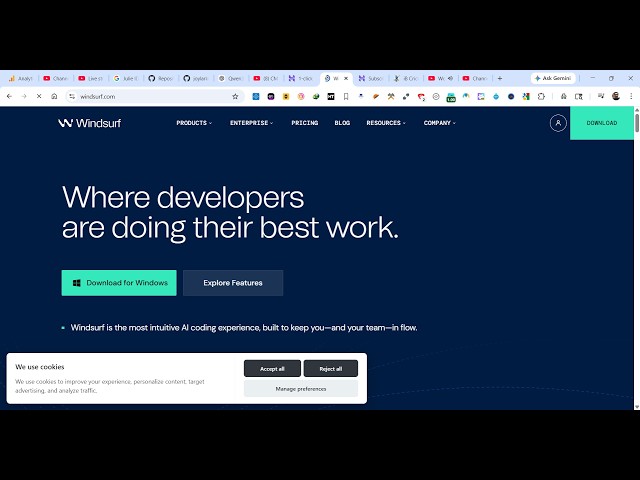
editor. Uh it's called as vint. So it's
0:10
a very popular AI coding IDE. If you
0:13
simply type this on Google.
0:16
So this is actually an all-in-one AI
0:18
coding IDE. It's similar to cursor plot
0:22
VS code. You can download this for
0:24
Windows. So simply clicking this and uh
0:28
it will now start the installer.
0:32
So I personally used it. It's actually
0:35
builds full stack coding application
0:37
from single prompts. So simply click
0:40
start download. So then just run the
0:43
setup file. It's very simple to install
0:46
this. So
0:48
so just run the setup file
0:51
from here. Just accept the agreement.
0:55
You can use all the AI models to create
0:59
applications. So this offers a free
1:01
access as well, a free trial. You can
1:04
try this for completely free.
1:08
If you check the pricing here, it's
1:10
actually in the free plan. You get all
1:13
the unlimited access to try this.
1:17
The pro plan start with $20.
1:23
All the AI models are present right
1:25
here. So just wait for the installation
1:28
to finish
2:07
So once it finishes it will
2:09
automatically launch and you will be
2:12
able to code applications directly using
2:14
the help of AI.
2:43
So click on finish. So once it launch
2:46
right here it launches as an IDE similar
2:49
to VS code in terms of user interface.
2:52
It's quite similar.
2:55
So now it will launch it right here.
2:57
It's you have this chat prompt. From
3:00
here you specify what sort of
3:02
application you want to generate and the
3:05
interface looks quite simple to VS code.
3:11
So I will simply say build a image
3:18
to PDF HTML file
3:22
to create a image
3:26
to PDF editor in browser.
3:39
So just wait it is connecting to
3:40
language server. So once it loads for
3:43
the very first time it takes some time
3:44
to actually
3:49
connect properly. So you just need to
3:52
wait for some time for it to. So now it
3:56
is connected here as you send out the
3:59
request.
4:00
So these are all the model selectors.
4:02
You can actually say Kim K2, GLM, SWE.
4:07
Some are free, some are paid. So you
4:10
will see that the AI will start
4:11
developing this application for you.
4:26
So these are some of the task which are
4:28
there. So first of all it will create
4:30
the HTML file implement all these steps.
4:39
So you can see it is now creating this.
4:52
So
4:54
it already exist. So I can see there is
4:57
already an existing image to PDF
4:58
converter file. Let me update it with a
5:00
more comprehensive and modern version
5:02
that includes advanced editing feature.
5:05
So you just need to grant permission
5:07
here. Click on accept all.
5:22
So it actually gives you you can see
5:24
200,000 context and 16% is already used.
5:30
So limited context you get you don't get
5:32
unlimited context. So you just need to
5:34
wisely
5:36
make the application. So just accept the
5:39
changes.
5:43
You can see it actually generated this
5:45
almost 800 lines. So now I need to
5:49
replace the JavaScript section with the
5:51
modern featurist implementation.
5:57
So as you write the prompt, it
5:58
automatically
6:00
builds out your entire application. So
6:03
this is really easy. You can get started
6:05
for completely free wind surf.
6:14
So accept the changes and uh
6:22
so now you can see it actually described
6:25
it what it has created. Now you simply
6:29
can run this project in the browser to
6:32
actually see what it has created.
6:42
So image to PDF editor it created a
6:45
brand new full stack coding application.
6:48
So in this easy way
6:50
you can create this
7:01
So you can see that.
7:08
So definitely check this out. Winds of