0:00
uh hello guys welcome to this video so
0:02
in this video I will show you a really
0:04
good vs code extension uh which you can
0:06
install and this extension will
0:09
automatically remove all your unused
0:11
Imports so the libraries or functions
0:15
that you haven't included inside your
0:16
main code it will automatically remove
0:18
that so while coding accidentally you
0:21
may actually include modules which you
0:23
don't use so you don't need to manually
0:26
remove this there is extension for this
0:28
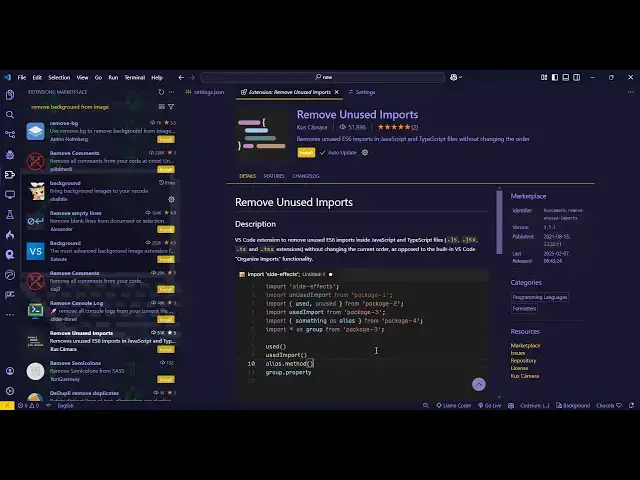
in vs code so if you go to extension
0:30
just type here remove unused Imports
0:34
this is actually the extension which
0:35
comes right here it has almost 51,000
0:40
installs so you just need to install
0:43
this and activate this extension by
0:44
clicking this install button and as soon
0:47
as you install this you come to your
0:50
actual application so we have this
0:52
simple react Chase application if you
0:54
see these are all unused Imports we
0:58
haven't used this in inside of our
1:00
application so now for actually removing
1:05
it automatically you simply
1:08
select all this code and just go to your
1:11
command pallet or you can just type the
1:13
shortcut control shift p and just type
1:17
remove unused Imports so just enter it
1:22
by selecting this option so now what it
1:25
will do it will automatically remove all
1:28
these Imports unused Imports that you
1:30
haven't used inside your application so
1:32
this will also clear out all the
1:35
unnecessary code that is not required
1:36
for your application and it will also
1:39
remove those libraries packages and it
1:42
will lower down the size of your
1:45
so simply select the code and then
1:48
control shift p also you can shortcut
1:50
key remove unus Imports and all those
1:54
packages or libraries that you haven't
1:56
used are automatically removed so this
1:59
is actually the extension just install
2:01
this and activate this so it
2:04
is uh applicable with all the languages
2:07
you can use it with JavaScript PHP
2:09
python C++ so just select the code and
2:13
just hit that and just apply this so it
2:16
will remove the unnecessary packages and
2:19
libraries so thank you very much for
2:21
watching this video and also check out
2:24
my website free mediat tools.com which
2:26
contains thousands of tools regarding
2:30
and I will be seeing you in the next