0:00
uh hello guys welcome to this video so
0:02
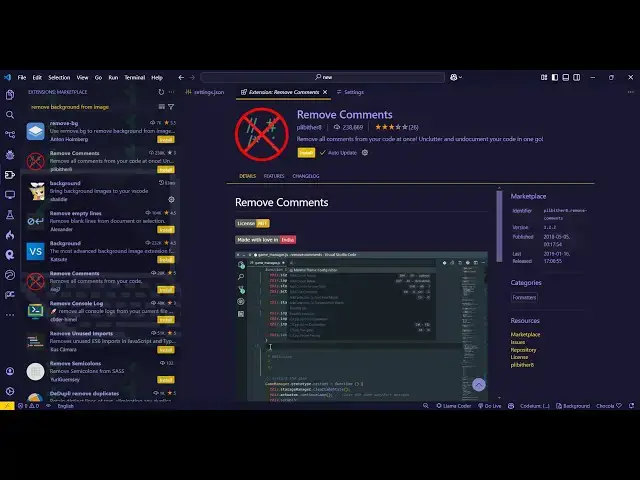
in this video I will show you a vs code
0:04
extension which will automatically
0:06
remove all the comments which are there
0:08
inside your source code uh so there is
0:11
the extension so if you go to extensions
0:13
tab just write here no
0:15
comments and the very first extension
0:17
which comes right here this is the
0:19
extension right here and it's developed
0:22
by this person it's only called 153
0:24
installs but it works with all the
0:27
languages so some extensions are there
0:29
which it only works with certain
0:31
languages but this extension if you type
0:33
no comments so just install this and
0:37
then activate this so I tested with all
0:40
the languages so this extension works
0:42
with all the languages so now if you
0:44
activate this so I've just created a
0:47
bunch of files here in Python C++ HTML
0:51
JavaScript PHP so I will show you step
0:54
by step so this is the python file if
0:56
you see we have got a lot of comments
1:00
so comments can be useful but at
1:04
actually uh just mess the code as well
1:07
so if you just write uh press the
1:10
shortcut key control shift
1:12
p and then just write here no
1:16
comments and this will come right here
1:19
uh just enter it and this it will
1:21
automatically detect and it will remove
1:24
all the comments here you will see now
1:26
there is no comment in the file and same
1:29
we will go to the C++ file just the
1:32
shortcut key control shift p and then
1:35
just write here no comments and just
1:37
select this option enter and
1:40
automatically it will go away all the
1:43
comments here so this actually reduces
1:47
the uh readability of the code these
1:50
comments so much comments so you can
1:53
actually use this extension now we have
1:55
the HTML file you will see it contains
1:58
CSS HTML and Javas script code with all
2:01
these comments there again the shortcut
2:03
key control shift p no
2:07
comments and just activate this so the
2:12
uh you can see there can be a lot of
2:15
comments but it will remove
2:17
automatically line by line it will
2:19
detect and all the comments are removed
2:22
and then the Javascript file here you
2:28
just and activate this and it will
2:32
remove all the comments here you will
2:36
that and lastly we have the PHP file
2:45
p just activate this and you will see it
2:49
will remove all the comments here so it
2:52
works with all the languages some
2:54
plugins or extensions are there which
2:56
only works with certain number of
2:57
languages but this one this plug-in go
3:00
to extensions just type no comments and
3:02
just install this it's a fairly new
3:04
extension but it works with all the
3:06
languages so you can install this to
3:09
remove all the comments from your source
3:12
easily and I will be seeing you in the
3:15
next video and also check out my website
3:17
as well freem mediat tools.com which
3:19
contains thousands of tools regarding
3:21
audio video and image and I will be
3:23
seeing you in the next video