Up next in 10

This VibeFigma AI Coding Builder is INSANE to Convert Figma Designs to React Apps in Terminal
Apr 11, 2026

Watch My Visual Studio Code IDE Setup Video For Fonts,Themes & Extensions
https://youtu.be/Bon8Pm1gbX8
Hi Join the official discord server to resolve doubts here:
https://discord.gg/cRnjhk6nzW
Visit my Online Free Media Tool Website
https://freemediatools.com/
Buy Premium Scripts and Apps Here:
https://procodestore.com/
Show More Show Less View Video Transcript
0:02
Uh hello guys in this uh live stream I
0:05
will actually show you a Figma AI tool
0:08
which is released to actually
0:12
so it's called as
0:20
let me just see the title here. So W
0:23
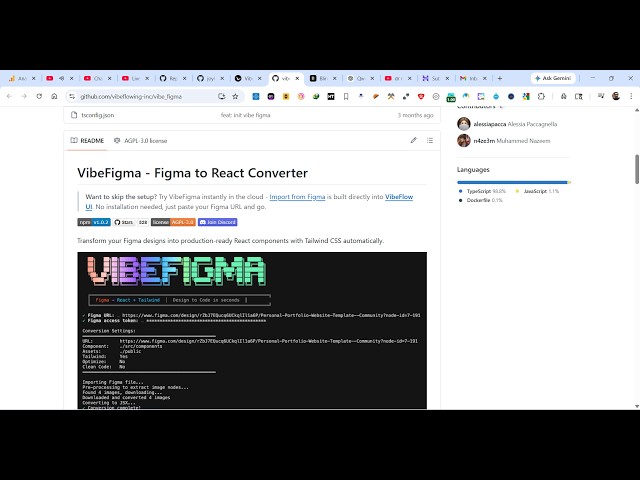
Figma so it's a wide coding tool
0:27
by Figma. If you simply type here wipe
0:31
figma this is the actual tool
0:35
w designing you actually
0:42
so it's actually a tool for generating
0:48
direct designs in Figma. This is their
0:50
GitHub report directly you see it's
0:53
almost I mean 543 stars. So let coding
0:56
AI agents directly design in Figma which
0:59
is a really popular tool. So this is
1:02
actually the demo. You simply write this
1:04
in the chat prompt automatically the
1:07
design will be created by the AI.
1:12
It will be automated. So you can just
1:14
see here all the design elements will be
1:17
created automatically for you
1:20
by the AI. You can connect user
1:23
interfaces,
1:25
popups, forms, any sort of UI widget for
1:28
your application instantly. You can
1:30
create
1:32
the AI will
1:35
create this for you automatically the
1:37
website as you see that you can also
1:41
modify the changes by writing it to the
1:44
prompt and automatically the AI will
1:47
build out your entire design.
1:51
So it's actually using all the AI models
1:53
for you. It's completely open source
2:00
for running this directly in the command
2:02
line. You can directly clone this repo
2:05
and run this.
2:10
This is actually another tool that you
2:13
can try on figma.com just while coding
2:15
tool. So right here you directly type
2:18
what sort of application you want to
2:19
generate. So you can either continue
2:22
with Google your Google account
3:27
So this is their tool here. You can
3:29
actually build any sort of application
3:32
in the chat room. Just write this and
3:34
Figma will directly build this for you.
3:36
You can build out applications with a w
3:39
coding tool in Figma make.
4:39
So once the verification is complete,
4:41
you will be redirected to the Sigma
4:44
screen.
4:55
So right here you will specify your name
4:58
here everything.
5:08
So right here you specify what sort of
5:11
design you want to create. So
5:17
specifically tell I want a image to PDF
5:19
web application. And now the AI will
5:22
start developing
6:15
So you can see it is working on your
6:17
request. It is actually creating the
6:19
necessary files for the user interface
6:21
and then the application. So once it
6:23
completes you will see the live preview
6:25
on the right hand side corner of the
6:26
screen and you can easily see the code
6:29
also which is generated. It's a
6:31
fullyfledged Figma
6:34
builder for creating your full stack
6:36
coding applications directly.
6:39
So it's a free tool. You can directly
6:42
use it Figma make once it completes you
6:45
will get a notification and you can even
6:47
publish the app as well. So if you click
6:49
on publish it will give you a unique
6:52
URL.
6:54
Everything will be published here. You
6:55
will see that it's publishing your site
6:58
compiling everything into a single
7:03
website.
7:08
So now you can see that. So
7:15
in the meantime, you can actually
7:18
test out this application by selecting a
7:21
bunch of images.
7:29
So everything is converted here as you
7:31
can see to PDF. So this is actually a
7:33
full stack coding application. So
7:50
So definitely try the try out this tool
7:53
Figma make.
7:55
So actually using the default AI model
7:58
you can even change the AI model as
8:00
well.