Up next in 10

This Sourcegraph AMP Coding AI IDE & Terminal Agent is INSANE to Build & Deploy Full Stack Apps
Apr 8, 2026

Watch My Visual Studio Code IDE Setup Video For Fonts,Themes & Extensions
https://youtu.be/Bon8Pm1gbX8
Hi Join the official discord server to resolve doubts here:
https://discord.gg/cRnjhk6nzW
Visit my Online Free Media Tool Website
https://freemediatools.com/
Buy Premium Scripts and Apps Here:
https://procodestore.com/
Show More Show Less View Video Transcript
0:01
Hello guys in this live stream I will
0:03
actually show you yet another coding AI
0:06
IDE and CLI tool
0:09
which is really powerful.
0:11
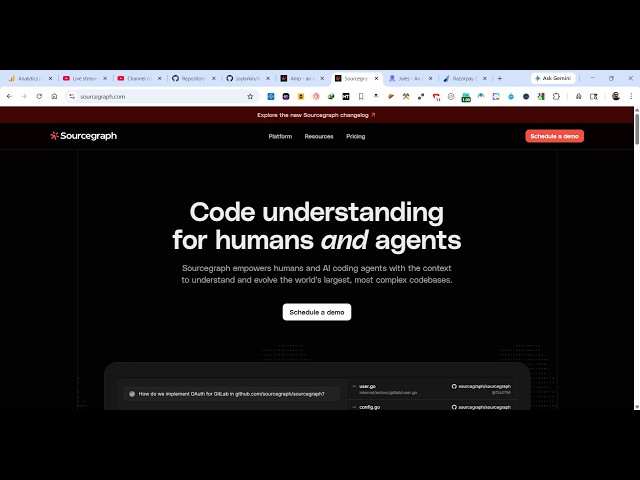
It's called as Sourcegraph AMP.
0:14
So if you simply type this on Google
0:16
Sourcegraph AMP,
0:18
it's actually a
0:20
This is the actual IDE as you can see.
0:23
And
0:25
AI coding agent built by Sourcegraph.
0:28
So this is the AI coding agent AMP.
0:32
And get for started for free.
0:36
You can see that. So it's an ultimate
0:38
editor
0:39
for Mac and Linux this is a command. You
0:42
simply copy the command. It's available
0:44
in terminal. For Windows you open
0:46
PowerShell.
0:49
So I'm running power Windows machine so
0:52
I will simply open PowerShell and paste
0:54
this command.
0:56
So now this will install this tool for
0:58
you. Simply enter.
1:00
It will actually install the necessary
1:02
AMP CLI as you can see it will start the
1:05
installation.
1:06
It's a really good tool if you want to
1:08
create a full stack coding application
1:11
with the help of AI. And this tool is
1:13
completely free as well. It doesn't
1:15
charge you money and it's a great
1:17
alternative. So you will get this
1:19
notification that AMP CLI is
1:21
successfully installed.
1:22
And now you can actually check out their
1:24
documentation after you install this.
1:28
So it's actually uses all the AI models,
1:31
leading AI models GPT, Claude, all the
1:34
models you can use.
1:35
It's a really powerful tool.
1:38
And you can actually check their pricing
1:40
as well.
1:41
Pricing as you all see, it's actually
1:44
offering you for completely free.
1:48
First of all you can sign in.
1:51
In is very easy. You can connect connect
1:54
your Google account here simply
1:57
login with your Google account.
1:59
Once you sign up you will be redirected
2:02
to the dashboard area.
2:04
So
2:06
it's also available as a VS code
2:08
extension as well. So as you see the
2:10
instructions are given how to install
2:12
this. I we have already installed it.
2:14
You can check out their documentation as
2:16
well. Once you install this
2:18
uh
2:20
again you open a new window.
2:22
Let's suppose
2:26
open a
2:29
terminal session in a new
2:33
right here.
2:35
After you install this it's very easy
2:37
to. Just type AMP and this CLI tool will
2:41
open directly right here.
2:58
So yeah. So once you install this just
3:00
type AMP
3:02
now you will see the AMP will start.
3:04
Welcome to AMP.
3:06
Right here you successfully type
3:08
whatever prompt that you want to. So I
3:10
will simply say build a image to PDF web
3:14
app
3:16
in browser.
3:18
So simply send out the request to the AI
3:21
and now the AI will start preparing your
3:23
application. So it will exactly detect
3:27
what sort of files are there. So you can
3:29
see that it's creating your index.html
3:32
file with all the relevant file. So you
3:35
can see the speed of generating the
3:36
code. This tool I find it really awesome
3:39
for programmers and developers if you
3:41
just wanted out create free code through
3:44
AI.
3:45
So it doesn't charge you money
3:48
just install that
3:50
by executing that PowerShell
3:52
you can just see here. So automatically
3:55
it will write the code for you. Just
3:57
type the prompt automatically it will
3:59
actually generate all the necessary code
4:01
for you. It can be a react app, angular
4:04
app. So specifically I told it I want
4:07
image to PDF application.
4:09
So you can just see the speed guys. It's
4:11
really tremendous tool. It's developed
4:13
by Sourcegraph AMP CLI.
4:16
And it's also available as a VS code
4:18
extension as well.
4:20
So once it completes you will see the
4:22
notification.
4:24
So you can just see here how awesome is
4:26
this tool is that.
4:29
And it's totally free. So once it
4:30
completes you will see the notification
4:33
is ready.
4:34
So
4:37
as you can see it created this file for
4:40
us.
4:41
This index.html file. So now we can
4:44
actually run this application to see how
4:47
it has
4:48
prepared that application for us. It's
4:50
actually image to PDF application. It's
4:52
completely ready.
4:54
You can even make some changes. Let's
4:56
suppose
4:57
if the UI is not pretty
5:00
I can simply say UI is not great.
5:04
Please I want a
5:07
professional looking UI.
5:11
Please.
5:12
So you can even ask follow-up question
5:15
as well and then it will actually make
5:17
some changes related to this if you So
5:20
you can see that how easy it is.
5:22
So if you want a professional looking UI
5:25
So again it will make the necessary
5:27
changes and build out a professional
5:29
looking user interface.
5:31
So as you see you get almost 300,000
5:34
context window.
5:36
So in the free version. So automatically
5:40
you can try this for completely free.
5:43
And
5:54
So potentially I created so many
5:57
applications using this AI tool. That's
5:59
why I wanted to share this inside this
6:02
live stream. It's really awesome tool.
6:04
Nobody talks about it. It's a very
6:06
underrated tool AI tool because it gives
6:09
competition to all the AI tools in the
6:11
market. And it's available directly in
6:14
the terminal. That's makes it very much
6:16
easy. You can actually
6:18
edit your project using this AI tool.
6:22
So it's directly available.
6:24
And
6:26
this makes it really easy for you to
6:28
actually create applications.
6:30
So again as you can see it's right
6:32
written this app full application.
6:39
Almost 800 lines of code. And you can
6:42
just look at the speed of generating the
6:44
code.
6:49
Once it completes now it actually
6:50
changed you can see it's looking like a
6:53
professional looking
6:54
image to PDF it definitely work.
7:00
So you simply select
7:02
the image click on generate PDF. And now
7:05
your image successfully converted to
7:08
PDF. So
7:09
you can see all
7:11
advanced options are also available. So
7:13
in this easy way this CLI tool is
7:16
perfect. You can even debug your code.
7:19
Just find out mistakes, fix mistakes as
7:22
well. If you have a existing project
7:24
then also you can use this tool.
7:26
So it's a perfect tool. I showed you how
7:29
to install this and use it. It's really
7:31
perfect.
7:33
And apart from that it's also available
7:35
as a VS code extension as well. So if
7:37
you simply type AMP
7:40
this VS code extension will directly
7:42
come.
7:45
This is the extension as you see AMP
7:47
Sourcegraph. So frontier coding agent.
7:50
It's got almost 105,000 installs. This
7:53
also does the same thing directly inside
7:55
your VS code. So once you click the
7:57
install button
7:59
it will be directly
8:01
inside your VS code. So
8:03
once it get installed you will see this
8:06
appearing right here AMP. Just activate
8:08
this extension if you don't like the CLI
8:11
tool.
8:13
So again it will tell you AMP editor
8:16
extension is depreciated. So yeah it's
8:18
now discontinued. So AMP CLI is still
8:21
around. So it's telling you to install
8:23
the CLI. We already installed it. So
8:28
I showed you already how to do that for
8:30
installing it on Windows. So you can
8:32
directly use the CLI version. It's
8:34
really popular.
8:36
So definitely use it.