Up next in 10

This GUI App Makes Claude Code INSANELY Powerful! Claudia Setup + Custom AI Agents Tutorial
Jul 18, 2025

Get the full source code of application here:
Show More Show Less View Video Transcript
0:00
Uh hello guys, welcome to this video. So
0:02
in this video, I'll show you a GUI app
0:04
which will make your claude AI very much
0:08
easy because claude AI is available on
0:11
the terminal itself. But this solution
0:14
provides you with a powerful GUI kind of
0:16
an application and toolkit for cloud
0:18
code and with the help of this you can
0:21
create custom AI agents which can manage
0:24
your cloud code sessions and can run
0:27
secure background agents as well. So
0:29
this is their GitHub page and uh it's
0:32
got almost 10,000 GitHub stars. So this
0:36
is their web page here claudia code.com
0:39
and basically it actually makes the it
0:43
creates a desktop GUI kind of
0:45
application which can manage all your
0:47
sessions regarding clot because by
0:52
default cloud only runs on the command
0:54
line. It doesn't have any kind of visual
0:56
way by which you can see how much usage
1:00
you have taken the token usage
1:02
everything. So this GUI kind of
1:05
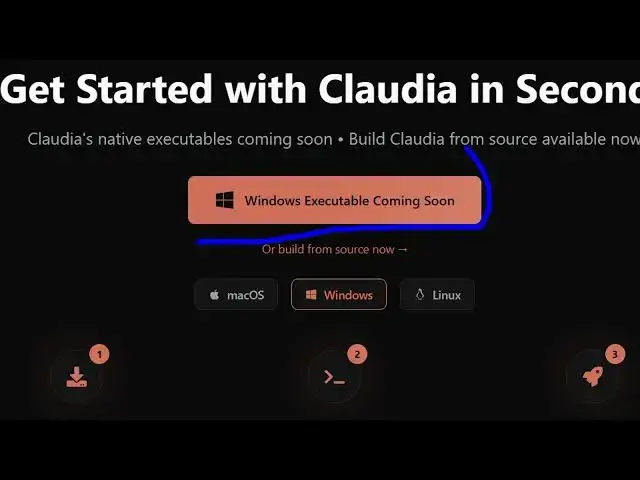
application make sure on Windows it is
1:08
executable is coming soon but in if you
1:11
are a Mac operating system
1:14
for the time being you can basically
1:16
install this
1:20
from source. So you have this button
1:23
right here. You click on that and you
1:26
can basically install this from source.
1:28
So a step-by-step video is also given to
1:31
you how to get it started right here.
1:35
All the commands are also given. So
1:39
for this to work you need to first of
1:41
all install claude inside your machine
1:44
and you must have claude accessible.
1:48
So as I'm there inside
1:57
You just type here cloud and just make
2:00
sure that claude is first of all
2:02
installed inside your machine. So you
2:04
need to first of all have claude code
2:06
directly installed then only this cloud
2:09
GUI solution Claudia will work. It's a
2:13
powerful GUI app to manage cloud code.
2:16
As you can see, by default, it only
2:18
works in the
2:21
command line.
2:23
So, just make sure that you have cloud
2:26
code installed. And then you just need
2:29
to make sure that you put the
2:33
uh API key. So, this is not free. So,
2:37
you just need to purchase some tokens
2:39
for this.
2:42
So just purchase some tokens to try out
2:45
the API key.
2:48
So the free version only tries only just
2:52
allows you to chat with cloud. But if
2:54
you do want to try cloud here, you
2:57
basically click on the button try cloud
3:00
and visit this to get your API key.
3:03
Click on
3:07
upgrade and write here you
3:17
or you can simply say cloud code API
3:20
key.
3:32
And then you can click on install from
3:34
source
3:36
and just check out this website
3:37
claudia.com claudiacode.com and their
3:41
executable is coming in the future which
3:43
will actually allow you to directly
3:45
install it on your respective system.
3:48
For the time being you can click on from
3:51
build from source. Now it is little bit
3:54
difficult to build it from for from
3:56
source. There's not a official exe file
3:59
which is there. You can follow the
4:02
step-by-step instructions which are
4:03
given right here. You can install this,
4:05
clone this GitHub repo, CD into this
4:08
folder and install all the front-end
4:10
dependencies and start this application.
4:13
Let me just show you. So go to the
4:16
command line.
4:30
So right here you
4:33
clone this
4:36
as you can see it will install this CD
4:38
into this folder
4:40
and simply install all the dependencies
4:43
which are there npmi
4:48
and for development you basically run
4:50
this by npm run it's a toy desktop
5:03
So once it installs you simply say npm
5:06
run to dev.
5:17
So install this
5:39
So just open it inside VS code. This
5:41
will be the GitHub repo which will open
5:44
directly.
5:46
If you go to the package.json file, this
5:48
is
6:05
There's a quite a number of commands
6:07
here which is
6:16
just install bun if you globally install
6:19
bun right here
6:21
because it uses bun right here to build
6:24
executables.
6:26
After you do this,
6:30
it will start the Claudia code
6:32
executable right here. If you see
6:55
you can even install this like this as
6:57
well. npmi
7:15
So definitely check out this Claudia
7:17
code which makes it easy for you to
7:19
manage cloud code sessions the GUI kind
7:22
of an application. Uh thank you very
7:24
much for watching this video and also
7:26
check out my website freemediats.com
7:29
uh which contains thousands of tools.
#Programming
#Software
#Web Services