Up next in 10

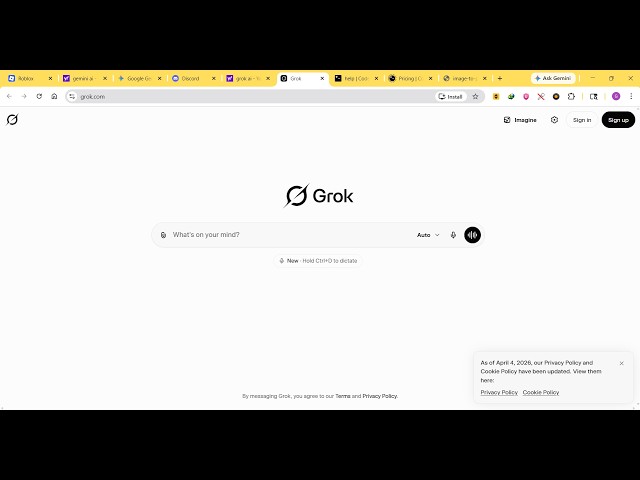
This Grok AI Coding Agent is INSANE Builds & Deploys Full Stack Apps From Prompt Destroys Claude
Apr 7, 2026

Watch My Visual Studio Code IDE Setup Video For Fonts,Themes & Extensions
https://youtu.be/Bon8Pm1gbX8
Hi Join the official discord server to resolve doubts here:
https://discord.gg/cRnjhk6nzW
Visit my Online Free Media Tool Website
https://freemediatools.com/
Buy Premium Scripts and Apps Here:
https://procodestore.com/
Show More Show Less View Video Transcript
0:02
Uh, hello guys. In this live stream, I
0:04
will show you another impressive AI
0:07
coding agent, which is called by the
0:09
name. So, if you go to Google, simply
0:11
type
0:12
g r o k
0:13
Grok.
0:14
So, it's actually owned by
0:18
You can see that this is the website
0:19
will come. You can generate code,
0:21
images. You can chat with it to get
0:24
real-time answers. So, it's a great
0:25
alternative to tools like Claude,
0:28
ChatGPT. So, once you land on this
0:30
website, you can actually sign up.
0:33
So, you can use your Google account to
0:36
sign up.
0:37
Or you can use your X account, Twitter.
0:40
So. [snorts]
0:42
So, once you grant all the permissions
0:44
and once you sign up, so inside the chat
0:46
prompt, you will see this
0:49
easily
0:50
interface
0:52
where you specifically tell what sort of
0:54
application you want to develop. So,
0:55
personally, I've tried this.
0:57
So, it's an ultimate platform. So, if I
0:59
say image to PDF editor and browser,
1:03
so as soon as I select this,
1:05
automatically the AI will start
1:07
developing this application right here.
1:10
So, automatically it's generating the
1:11
code for us.
1:15
So, you can just see the speed here.
1:17
Speed is very much impressive. The
1:20
code is automatically generated in a
1:22
matter of seconds.
1:24
It actually generates a full-stack
1:26
application.
1:27
So, now you can see it automatically
1:29
generated this application. You can even
1:31
run this application. You can see the
1:33
run button.
1:35
And side by side, you will see the
1:38
So, you can make changes as well. So, I
1:40
can
1:41
ask the AI, "UI is not good.
1:46
Please make
1:48
unique
1:49
advanced
1:51
UI." So, as soon as you just tell the AI
1:55
that the UI is not impressive, it will
1:57
make the changes
1:59
to the UI.
2:01
So,
2:02
it will look mobile on this. So, you can
2:05
actually see how the app will look on
2:07
mobile, desktop, everything. So,
2:11
So, it's an awesome website, Grok AI.
2:13
Definitely try this. So,
2:16
it's an ultimate model for
2:18
developers.
2:26
So, it instantly generates applications.
2:31
You can see that again. Now, it
2:32
generated a new UI. Let me run this.
2:36
So, now it looks something like this.
2:37
You will see that it actually made
2:39
changes to the UI as I told it.
2:42
So, it will look something like this on
2:44
mobile devices.
3:05
So, [snorts] definitely
3:08
see this AI. Uh, you can even ask uh any
3:11
questions as well, any
3:13
programming-related question or any
3:15
question.
3:16
You can say top 10 frameworks for
3:21
in 2026.
3:23
You can actually tell
3:26
any question here. So, the AI will
3:27
respond to you.
3:31
So, the thing about this is that once
3:33
you sign up, it doesn't cost you money
3:36
at all. So, it's completely free
3:38
to try grok.com. Definitely visit this.
3:41
You can even generate images as well.
3:44
So, it actually
3:47
Yeah, all-in-one AI assistant.
3:50
So, definitely try this. It's really
3:53
awesome.
3:57
As you see,
3:59
this is the imagine update. This Grok
4:03
imagine, with the help of this tool, you
4:04
will be able to generate
4:06
uh images.
4:17
>> [snorts]