0:01
Hello guys in this live stream I will
0:04
show you yet another AI coding
0:06
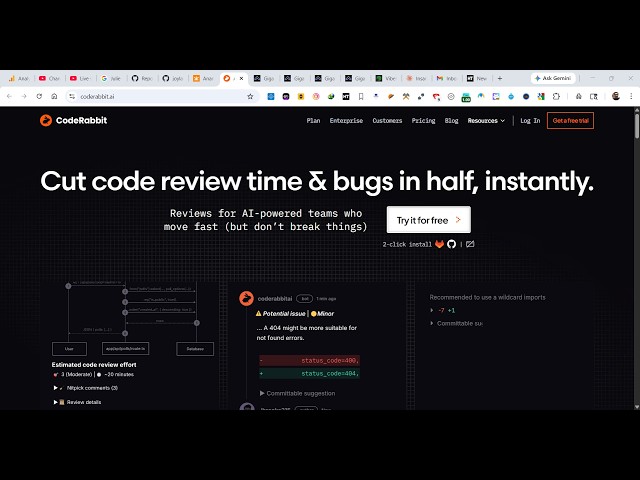
agent. It's called as Code Rabbit AI. If
0:10
you directly type this on Google, the
0:12
very first website which comes
0:18
So this is actually a AI coding agent.
0:20
It can debug your code. It can fix
0:22
mistakes. It can even create
0:24
applications as well.
0:26
So you can first of all click on login
0:29
to try this completely free.
0:33
for this you do need to have I think a
0:35
GitHub account. Yeah, so
0:38
let me just sign up using this window
0:41
Code Rabbit {dot} AI.
0:44
So it also is available as a VS Code
0:46
extension as well. You can directly
0:49
install the VS Code extension.
0:54
So let's authorize it using your GitHub
0:57
So once it authorized it will be
1:01
into the dashboard area.
1:11
So you will directly select whichever
1:13
GitHub repo you want to generate a
1:15
readme file. So from here select it.
1:25
can see this one. Let me select this.
1:32
Can just skip to the app.
1:45
So from here you can actually
1:51
come to the tool right here.
1:53
So just select your GitHub repo,
1:54
whatever GitHub repo you want to work
1:56
upon. After that you can generate a
2:02
Apply changes, everything.
2:04
This is their web interface. From here
2:06
you can actually do this.
2:10
It's also offered as a VS Code extension
2:14
as well. So if you simply search here
2:20
So it's all can see that.
2:22
Free AI code reviews that run directly
2:27
So you can directly install this
2:28
extension. So once it get installed
2:35
it's actually access it right here. You
2:41
So you can simply use use code Code
2:54
try this. It's very good extension.