0:02
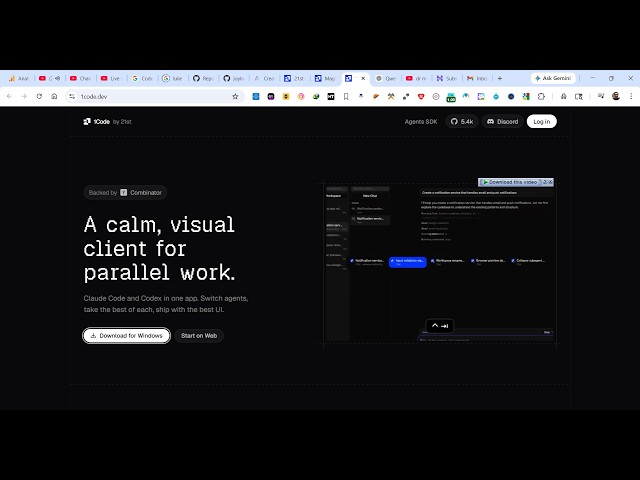
Hello guys in this live stream I will
0:04
show you yet another AI coding platform
0:08
for building full stack coding
0:09
application. It's called as one code
0:12
dev. If you simply search this on
0:14
Google, it's an AI coding editor
0:18
which you can use to actually develop
0:20
full stack coding applications.
0:23
It will redirect you to the actual
0:27
So, once it launches, it's actually a
0:31
complete IDE similar to Visual Studio,
0:36
So, it's a calm visual.
0:38
You can see this is the address.
0:41
completely open source as well. It's
0:43
available, the code is available on
0:45
GitHub as well. You can check out.
0:47
It's completely open source, a great
0:49
alternative to Cloud Code, CodeX.
1:00
So, you can download this for Windows
1:06
You just click the download for Windows
1:08
button, or you can also check out their
1:10
web web version as well.
1:19
So, [snorts] once you click it, uh the
1:21
size is as you can see 616 megabytes.
1:24
It's an all-in-one AI coding editor.
1:27
Uh this web version you can also try it.
1:34
You can sign up using your Google or
1:46
So, this is an all-in-one. So, this is
1:50
[snorts] the web version that you see,
1:54
automatically as you can see
2:11
So, it is just installing it. So, once
2:14
it completes, you can simply download
2:17
So, now to get started,
2:22
actually the command is given. You can
2:24
directly install this
2:27
AI in the terminal as well. So, these
2:29
are the instructions which are given.
2:32
Directly you can copy this.
2:35
I think the best thing to use this is
2:37
directly installing this code editor.
2:40
So, once it completes, you can run the
3:21
So, installer will directly install
4:14
So, it is just completing it. So,
4:20
so that it fully installs.
4:24
So, if you're watching it for the very
4:26
first time, please consider
4:50
So, now I click the finish button
5:07
So, you first of all sign up.
5:11
So, it's a desktop app, so you need to
5:18
I think we already did that. Click on
5:27
Once it authorizes, you will be
6:05
So, after this fully installs, you will
6:17
So, from here you select your AI
6:19
provider, which AI provider you want to
6:22
Connect if you have a custom model,
6:27
Anthropic or use the Cloud subscription