0:02
Uh hello guys. In this live stream, I
0:05
will actually show you yet another AI
0:07
coding platform for building full stack
0:10
applications from prompt. So, the
0:14
platform is code to design. If you
0:24
the very first link which comes, this is
0:29
You can even directly go to this website
0:37
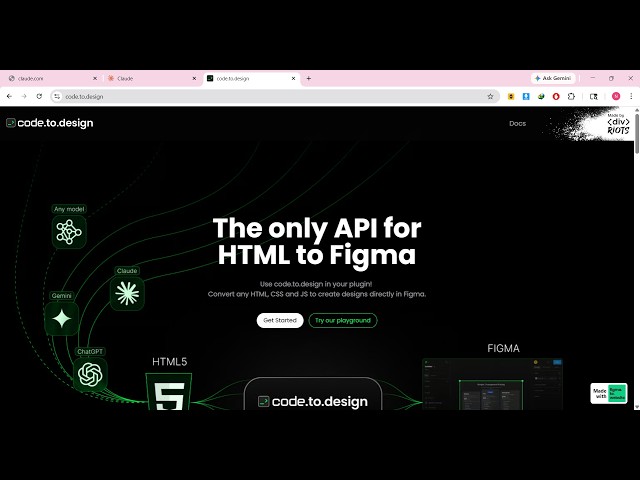
So, this is actually the website. Uh
0:39
it's actually a playground section for
0:42
converting your HTML, CSS, and
0:44
JavaScript application to create design
0:48
>> So, this actually is a playground
0:50
section. You can get started for
0:54
So, whatever is your designs which are
0:56
there in HTML, CSS, and JavaScript, you
0:58
can directly convert them into Figma
1:04
So, it's actually a mini application.
1:06
You can directly open it in Figma.
1:09
You can create a new Figma file as well.
1:14
So, it's actually an AI platform
1:23
So, here you can convert anything. It
1:25
can be a image, it can be a
1:28
UI design. So, right here, you simply
1:31
see whatever thing is there.
1:34
This is your HTML, this is the CSS, and
1:36
you see the live preview.
1:42
you can add this to the canvas. Now, to
1:45
add to the canvas, you do need to set
1:49
So, this API key you can get inside the
2:03
So, right here, you will be
2:07
get the API key Figma to website.
2:13
So, there are different apps here inside
2:15
this one base application.
2:22
There are many applications related to
2:24
Figma. So, definitely check this URL
2:29
Uh they have different applications
2:31
related to AI, related to Figma. So,
2:34
instantly transform your code snippets
2:45
playground section here.
2:55
So, you can directly convert HTML, CSS
3:00
Figma and then add this canvas.