Up next in 10

The BEST Way for Beginners to Learn Coding in 2025! 🧠 Code.org Full Review & Breakdown
Jul 26, 2025

Get the full source code of application here:
Show More Show Less View Video Transcript
0:00
Uh hello guys, welcome to this video. So
0:02
in this video, I'll show you a platform
0:04
for coders and programmers. This is
0:06
called as code.org.
0:09
If you just go to Google, just type here
0:11
code-o.
0:14
This is a platform. It's a fun little
0:16
program for coders and web developers.
0:20
If you want to learn programming, you
0:22
can visit this platform and they do have
0:24
uh fun little ways. So here you can
0:27
simply first of all create your account.
0:31
So here you can select if you are a
0:33
student or a teacher. If you are a
0:35
teacher you can also create lectures and
0:38
sign up as a teacher. But if you just
0:40
want to learn something you can sign up
0:42
with your Google account as well. Simply
0:44
select your account and just login. So
0:47
after you actually create an account you
0:50
will be redirected to their dashboard
0:52
and here just sign up right here.
1:27
information. Just fill out age.
1:37
Click on that go to my account and then
1:39
you will be redirected to the dashboard.
1:41
So here you can search for any sort of
1:43
courses which are there.
1:46
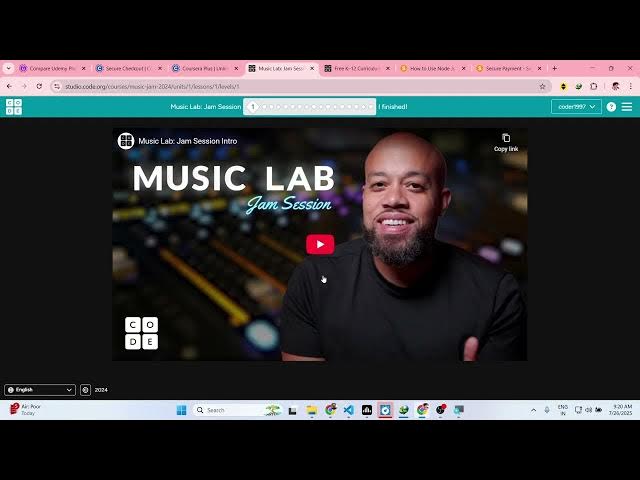
Once you select the course you simply
1:48
click start and you will see
1:54
the course will start right here and
1:56
here you can watch step-by-step courses
1:59
and uh they also you can even donate to
2:02
them. It's completely free to try. So
2:05
basically they do if you like you can
2:08
make donate them because they don't
2:10
charge any sort of money to run this
2:12
website. That's why you can even code
2:15
right here as well. So if you just want
2:16
to code inside this platform for
2:19
practice, you can click on new project
2:21
and then you can select how you want to
2:23
code here. So this is a Python editor
2:26
right here. As you can see this is my
2:28
main py file. So I'm running this
2:31
program. If I click run, my Python
2:33
program will run right here. So it's a
2:35
ultimate editor as well where you can
2:37
even run your programs as well. If you
2:40
just want to do coding. So here you
2:42
create your new file. You name it
2:44
anything
2:47
and just start your coding right here.
2:49
So if you just want to practice after
2:51
you learn something inside this. So they
2:54
do offer the video courses alongside
2:56
with
2:58
practice. You can even practice right
3:00
here. Just click the run button and your
3:02
program will instantly run. So just
3:04
click new project and uh right here you
3:07
simply appl.
3:10
So here you can select any sort of
3:14
if you're designing something or coding
3:17
something to control.
3:19
It's a fun little website. Definitely
3:21
check out code.org
3:27
if you are a programmer and developer.
3:29
So
3:31
courses as you can see all these courses
3:34
are also available to you. So you can
3:36
explore it.
3:39
So definitely check out this website
3:41
guys and uh thank you very much for
3:45
watching this video and also check out
3:46
my website freemediatools.com
3:51
uh which contains thousands of tools.