0:00
uh hello guys welcome to this video so
0:02
in this video I will show you how to
0:04
search your node modules folder directly
0:06
inside uh vs code with the intelligence
0:09
and auto complete you don't need to
0:11
manually open in node modules folder and
0:15
go to any module and see the files so
0:18
there is an extension which is there
0:20
which does this automatically for you so
0:22
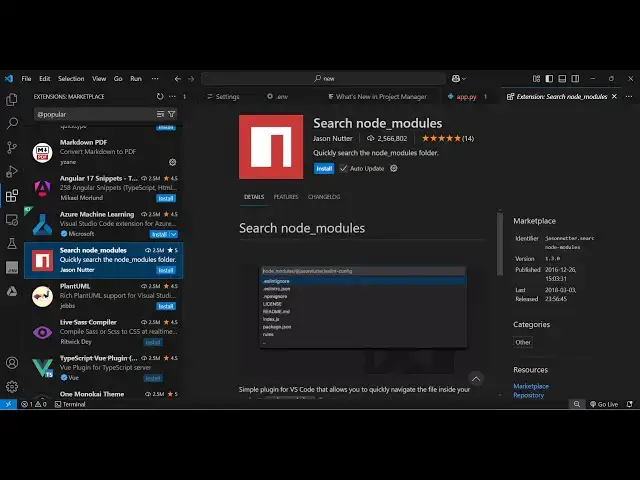
just go to the extensions Tab and just
0:25
type here search node
0:28
modules and this extension which comes
0:30
right here you will see that so it's got
0:32
almost 2.5 million installs so it's a
0:36
fair Fairly popular package and it
0:39
quickly search the node modules folder
0:42
and I personally use it in my nodejs
0:44
projects and from my personal experience
0:48
it saves me a lot of time here so simply
0:50
click the install button and just
0:53
extension and as soon as you activate
0:56
this extension you simply go to the file
1:00
and there are a direct way to activate
1:04
this so simply type the shortcut key
1:06
control shift p and just type here
1:10
search node modules as soon as you type
1:13
this you will see this option
1:15
appearing and simply enter search node
1:18
modules and here you can in the
1:21
drop-down or intelligence it actually
1:24
suggest a complete list so here you can
1:28
or you can directly type the package
1:30
name in my case I want to see the
1:32
Express package and then I can go to the
1:35
files inside that package directly so if
1:38
you want to open let's suppose I want to
1:41
see the index JS file so it will
1:43
directly open that file right here so
1:46
you don't need to manually go to the
1:48
nodejs and then search for the
1:52
express so it automatically does that
1:55
for you and it opens that file right
1:57
here so here you can edit this file or
2:01
changes so same goes control shift p
2:04
then just type search node modules and
2:07
then search your module name
2:10
whichever and then search the
2:13
file so that file will get open so you
2:16
will see that so this is a very shortcut
2:21
extension which I use it a lot because
2:24
in nodejs you do need to look at code of
2:28
custom modules so it actually saves a
2:31
lot of time and at the same time it's
2:34
very easy to do as well
2:37
so can see that so it
2:48
file so in this way guys you can use
2:51
this extension it's a very good
2:52
extension just activate and start using
2:55
it and thank you very much for watching
2:57
this video and also visit my website
2:59
weite free mediat tools.com which
3:01
contains thousands of tools regarding
3:04
audio video and MH and I will be seeing
3:07
you in the next video