Up next in 10

SecureVibe INSANE AI Code Guard — Detects & Fixes Bugs in Real Time, Better Than Claude!??
Aug 15, 2025

Get the full source code of application here:
Show More Show Less View Video Transcript
0:00
Uh hey guys, welcome to this video. So
0:02
in this video, I'll show you a free VS
0:04
code extension which automatically
0:07
analyzes all your code and fixes
0:09
mistakes. So this is its official
0:11
website here secure vibe.org.
0:15
So if you visit this inside the browser,
0:17
this web page will open and the nice
0:19
thing about this extension is that it's
0:21
completely free. You can do unlimited
0:24
analysis, unlimited files you can do the
0:26
analysis on. So there is no subscription
0:28
fee out there. So it's totally free and
0:31
it's available for cursor as well.
0:33
Cursor is again a popular IDE for AI and
0:37
VS code as well. So any of this you
0:40
basically go to extensions tab. Simply
0:43
search for this extension which is
0:44
secure
0:46
vibe
0:48
and this will come right here. It's a
0:50
fairly new extension. So you click the
0:52
install button and as soon as you
0:55
install this it will do the
0:58
automatically analysis of your entire
1:00
program. So if you just open any file
1:03
here and in the side when you will see
1:06
the secure five will be added. Simply
1:09
just activate this by clicking on this
1:12
and after activating it this will simply
1:14
show all the files which are present. So
1:16
simply click any of the file here
1:19
game.html HTML and simply click analyze.
1:23
So as soon as you click the button
1:25
analyze, you will see it will start
1:27
analyzing the full program that is
1:30
present inside this file here. So now it
1:33
will give you the overall analysis about
1:35
this program. So you just need to wait
1:38
for some time here after you click this
1:40
button. So it is running this entire
1:43
analysis using the AI.
1:48
So this is the page here and
1:56
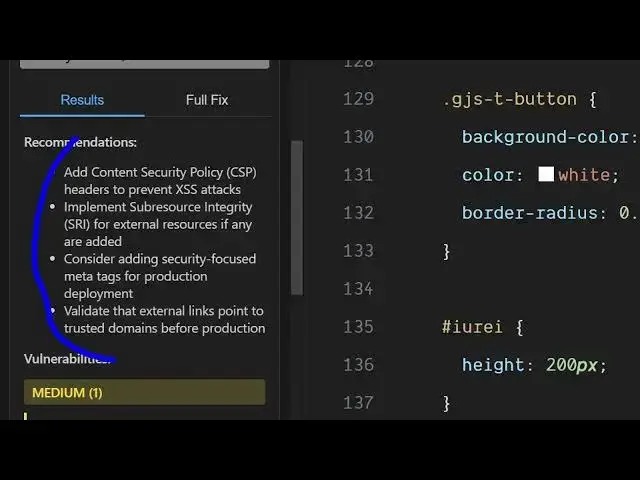
so now you can see it gives you the
1:58
entire analysis of this program such as
2:01
add context security policy.
2:05
It find out the vulnerabilities which
2:07
may occur. So it is telling you
2:09
suggesting you what sort of thing you
2:11
want to do in the add a content security
2:13
policy meta tag in the section after six
2:16
after line six. So it clearly suggest
2:19
you the fixes that you need to do after
2:22
line number six. It is telling you to
2:24
add that
2:27
and in similar way basically you can do
2:29
this for any file. Let's suppose
2:33
I intentionally make some mistake here.
2:35
Let's suppose
2:51
So if I run this uh check right here in
2:53
this file here index.js. So as you can
2:56
see here this needs to be here double
2:58
quotes but I intentionally uh write
3:00
this. And if I click analyze you will
3:03
see it will also catch errors as well.
3:06
And after this analysis, it will also
3:10
caught these errors and also suggest to
3:14
you how to fix them. So just need to
3:16
wait for some time and there is no
3:19
restriction out there. You can do this
3:21
on multiple unlimited files.
3:25
So you can basically see
3:32
so
3:37
in this easy way
3:39
full fix it also provides you with the
3:42
fix as well. So,
3:50
so this is the extension. You can
3:52
basically install it inside your cursor
3:54
or VS code. And uh
3:59
also check out my website free
4:01
mediatools.com
4:02
uh which contains thousands of tools.
#Software