Up next in 10

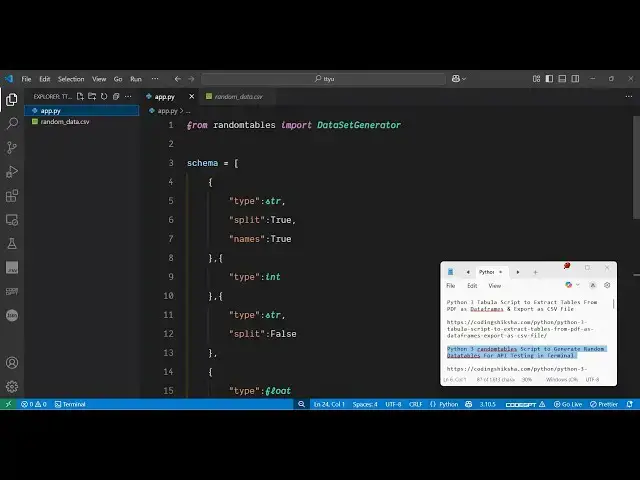
Python 3 randomtables Script to Generate Random Datatables For API Testing in Terminal
Jun 3, 2025

Get the full source code of application here:
https://codingshiksha.com/python/python-3-randomtables-script-to-generate-random-datatables-for-api-testing-in-terminal/
Show More Show Less View Video Transcript
0:00
uh hello guys uh welcome to this video
0:02
so in this video I will show you how to
0:04
generate uh some random data random user
0:08
data for API testing inside Python so
0:11
there is a specific uh library or
0:14
package inside Python that you can
0:16
install here which uh generate random
0:20
tabular data so the name of the package
0:23
is random
0:25
tables so if you just search for
0:29
this random dash tables this is actually
0:32
the a little bit little module here the
0:36
command is simple pip install random
0:38
dash tables so just execute this I've
0:42
already installed it so this basically
0:45
creates a
0:47
random table tabular data you just
0:50
provide a specified schema of data what
0:54
kind of data that you want to generate
0:55
so as As you can see we are generating
0:57
this uh four column
1:00
data name age country and marks so we
1:03
basically provide the schema here so the
1:07
first column must be a string column the
1:10
second one must be an integer third one
1:12
again will be a string and the fourth
1:14
one will be a float floating point
1:16
number so you provide the schema and
1:19
then it will save it as a CSV file so if
1:22
I execute
1:25
this so first of all you just need to
1:28
install this so we simply execute the
1:31
command random
1:38
tables and then after that you simply
1:41
execute the script here and then the
1:44
data will be saved to the CSV file here
1:46
you will see the tabular data has been
1:49
generated and we see these four columns
1:52
here name age country marks so if you're
1:55
developing some kind of an application
1:57
which contains some testing of data you
1:59
can generate these random tabular data
2:02
of any schema using this
2:05
package uh so now let me show you how to
2:08
get started here
2:10
so first of all you just need to import
2:13
this module so from uh random tables you
2:18
need to
2:19
import the data set
2:22
generator after that we basically
2:25
provide the schema here inside
2:27
this array here so we provide an array
2:30
of objects so the each object will
2:33
contain this type property here so what
2:36
sort of data that you want to generate
2:39
so it will be string data
2:42
then it will be split to
2:45
true and here we provide the column name
2:49
which will be
2:51
names it will be a name column so here
2:54
all the names will be generated and
2:57
secondly we will be having a second
3:00
column here this will be of type integer
3:03
so here the type will be
3:08
integer and then the third column here
3:11
will be of
3:12
type again string and then
3:16
split will be set to
3:22
false so here you can see we are
3:24
including all the data types string
3:27
integer and lastly we will be generating
3:30
a floating point number so here you can
3:33
just give whatever uh data data type
3:38
that you want to generate here like this
3:42
so after you provide the schema here now
3:46
based upon the schema we will generating
3:48
a data so we simply need to
3:53
call this uh data set
3:57
generator and then our data is
4:12
generated it contains this uh generator
4:16
function right here
4:19
generate function and here it takes the
4:22
actual schema and we already declared
4:24
the schema earlier on and then here we
4:28
specify all the columns
4:33
here name
4:38
age country and
4:40
marks then we save this all this data to
4:44
the CSV file so it contains a series of
4:47
functions either you can export them
4:49
into Excel or CSV as well so just give
4:53
it a file
5:04
name so then you can print out a
5:07
statement that all your data has been
5:09
saved so this is a very simple package
5:11
you basically provide it the actual
5:14
schema what kind of data that you want
5:16
to generate after that you simply call
5:18
the generate function based upon the
5:20
schema it will generate the data
5:22
so if I again delete this again run this
5:26
script here you will see
5:27
that it will generate the data here
5:31
every time the data will be
5:34
random as you can see here if I once
5:37
again generate this again the data will
5:40
be
5:42
random so that's the specialtity of this
5:45
package every time you generate it will
5:48
the data will be random
5:51
thank you very much for watching this
5:52
video and also check out my website
5:55
freemediatools.com
5:57
uh which contains uh thousands of tools