Up next in 10


Buy the full source code of application here:
Show More Show Less View Video Transcript
0:00
uh hello guys welcome to this video So
0:02
in this video I'll show you a Python
0:04
script which uses mattplot lib library
0:07
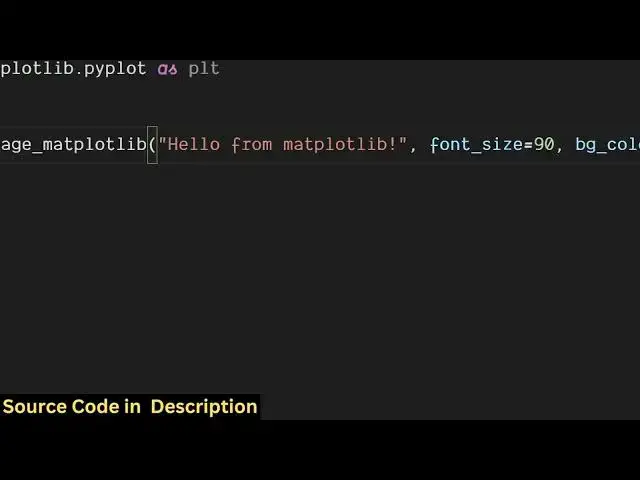
to convert a raw text into an image So
0:10
we have this raw text here We are
0:11
providing this to this library So what
0:14
it is doing it is controlling all these
0:16
parameters such as font size background
0:18
color text color and it is creating this
0:21
image file So once I run this Python
0:23
script it will convert this raw text
0:25
into an image So let me just execute
0:27
this Python script You will see on the
0:30
left hand side it will create this
0:32
image
0:34
output.png and it will have this text
0:37
the background color the color of the
0:39
text everything So let me just change
0:42
this text
0:47
here and then we can manipulate the
0:49
phone size as well Let me change to 100
0:52
and background color let me set it to
0:54
yellow
0:58
And the color of the text let me set it
1:01
to black So you will see if I make all
1:03
these changes a new image will be
1:05
created with the modified
1:08
changes So you can see that So in this
1:11
easy way you can create images from raw
1:13
text using this uh library which is
1:15
mattplot lib So this is actually the
1:18
package mattplot lib The command is very
1:21
simple uh you first of all install this
1:24
package by executing this command and
1:27
after that let me show you the complete
1:29
example step by step So just create a
1:32
simple app py
1:34
file So first of all you just need to
1:37
import this package mattplot lib dot
1:42
piplot as plt After importing this
1:46
package we will define a function which
1:49
will be responsible
1:51
for converting the text to image So we
1:54
are calling this function a custom
1:56
function text to image mattplot li and
1:58
we are providing the text we are
2:00
providing font size background color and
2:02
the text color as arguments So let let
2:05
me just define this
2:07
function text to
2:12
image So now we provide the text the
2:15
output path where the image should be
2:18
shaped So result.png or you can even
2:21
create jpg image as well So then we
2:24
provide the font
2:27
size background
2:32
color So these are all default values If
2:35
the arguments are not provided then it
2:38
will take these default values
2:42
So now inside the function we have this
2:45
plt dot figure
2:48
function to create the image So here we
2:51
specify the size of the image So say 10
2:56
4 and then we also specify the color
2:59
which is the background color So it will
3:01
create this image with these uh
3:03
background color of whatever background
3:07
color is passed And then to add the text
3:09
we have the text method and we provide
3:12
the location here x coordinate and
3:16
ycoordinate Then we provide the text and
3:19
the phone
3:23
size and then we provide where it should
3:27
be displayed So you can also put uh we
3:31
are putting here center of the image So
3:33
we are putting center right
3:36
here And also right here we also
3:40
put
3:43
center And then we provide the color of
3:46
the
3:48
text And wrap is equal to
3:54
true Then we simply put the access to
3:59
off And then we save
4:01
this figure at this We have this
4:05
function right here So here we specify
4:07
the output path
4:09
um
4:14
bbox So all these options are supported
4:17
by mattplot lip So we
4:20
simply save with these
4:24
options and then we close it and then we
4:27
print out a simple statement that your
4:28
image has been saved
4:33
So let me delete this image and run the
4:37
script You will see it
4:41
will has no property phone
4:47
size I think a type of mistake is there
4:50
given the script in the description with
4:52
this video So once again if you run this
4:55
you will see a output PNG will be
4:58
created
5:00
So in this easy way guys you can use
5:02
this uh Python package mattplot lip to
5:05
create images from text and also check
5:08
out my website freemediattools.com
5:11
uh which contains thousands of tools
#Software
#Multimedia Software