0:02
Uh, hello guys. In this video, I will
0:03
show you if you are a AI developer, if
0:06
you want to try out new AI models
0:09
directly for completely free. So, I will
0:11
show you here a website.
0:14
So, in a single subscription, you can
0:16
use all the AI models for completely
0:18
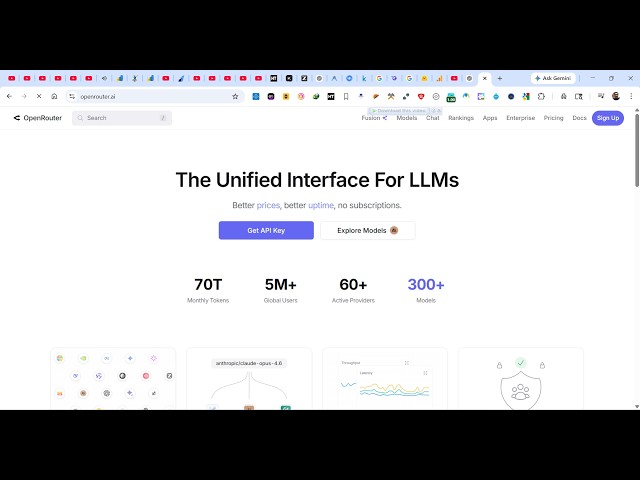
free. Go to Google, simply type
0:21
OpenRouter. This is a very
0:24
handy website for developers and coders.
0:27
So, the very first website which comes
0:32
So, it's actually a unified website for
0:34
all the LLMs, AI providers.
0:37
So, for a single subscription, you get
0:40
an API key from which you can try out
0:42
all these models for completely free.
0:45
So, once you log in, you simply, first
0:49
log in with your Google account if you
0:51
want to sign up right here.
0:53
You can even use your GitHub account as
1:03
get some sample credits by which you can
1:08
So, once you log in right here,
1:12
so, you can see that if you click on
1:15
models, all the models will come right
1:18
here in the search bar as you see.
1:21
So, let's suppose any of these models,
1:23
if you want to try this, some models are
1:25
free to try, like this this one which is
1:28
a Chinese-based model, Qwen.
1:32
So, whenever there is a free right here,
1:34
you can try out this model for
1:37
So, now to try this model, you click on
1:42
you can use this model as you see,
1:45
simply in the chat prompt, build a image
1:52
So, it's exactly you type the prompt,
1:55
and now the AI will start generating.
2:16
so, also, if you want API credits, you
2:18
can go to you can see that.
2:20
Now, the AI is start generating this
2:26
It's generating this code.
2:28
So, in this similar way, you can try out
2:30
different models. So, if you want to
2:33
enroll the API key as well,
2:35
you can even do that as well. Go to
2:44
And now to get your own API, click on
2:53
So, now your API key will be there.
2:55
Simply copy to clipboard.
3:03
So, the limit is unlimited as you see.
3:09
So, in this easy way, you can try out
3:11
any model for completely free.
3:13
This is one model which is Qwen.
3:18
So, if you want to close this, you can
3:21
You can also compare different models
3:23
for completely free. Let's suppose
3:26
I want to try out another another model
3:45
So, in this easy way, you can use this
3:47
OpenRouter website for actually trying
3:49
out It's actually a playground
3:52
section where you can actually
3:54
These are all the rankings options which
3:57
are also given to you.
4:00
It's actually list out all the rankings
4:04
thousands of data points.
4:07
What which are the top AI models.
4:10
So, definitely, it's a very handy
4:13
website. Definitely visit this
4:16
if you are a AI developer.