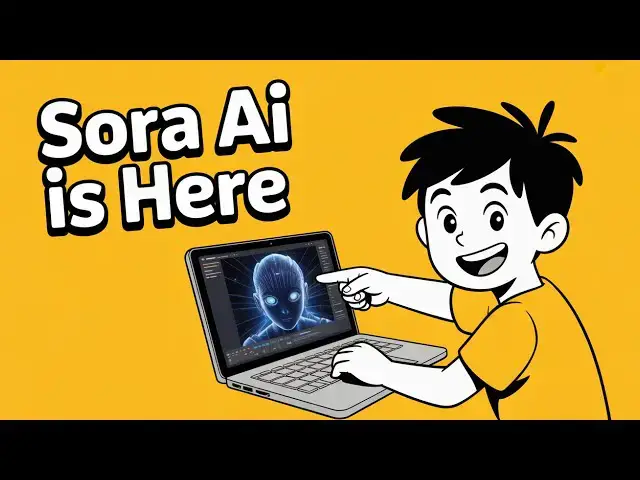
Up next in 10

OpenAI’s SORA is INSANE! Generate Videos & Images Using ChatGPT 🔥 Next Level AI
Jul 17, 2025

Get the full source code of application here:
Show More Show Less View Video Transcript
0:00
Uh hello guys welcome to this video. So
0:01
in this video I'll show you a platform
0:04
AI platform of chat GPT which is able to
0:08
generate images videos as well. It is
0:10
called as Sora. If you just write on
0:13
Google
0:15
it is from open AI platform and this is
0:19
their company uh Sora right product. It
0:22
can create video from text or images as
0:25
well. So
0:28
first of all you need to click on login
0:30
and login with the account here. Click
0:34
on sora and just need to set up the
0:36
basic account. So this will basically
0:39
tempt you to enter your birthday. So I
0:41
will say simply
0:48
after that click on next. And uh
0:52
now you click on that and it's a very
0:56
simple interface. It's totally free to
0:58
try out. We basically see this search
1:00
field where you can describe whatever
1:02
thing that you want to generate. You can
1:04
even view third party people, images,
1:06
videos as well.
1:09
And right here I will simply describe.
1:12
Please generate.
1:14
So right here you can uh
1:18
upload your own images as well like this
1:20
as well and change it from image to
1:24
video. So let's suppose I want to
1:25
generate a video I simply click that.
1:29
So here you can control the duration. So
1:31
if the video is 5 second 10 15 20
1:34
second. So if I want to generate in the
1:38
trial version you can only select 5
1:40
seconds. So I will say please generate a
1:43
coding avatar
1:46
doing
1:49
writing
1:52
code on the blackboard
1:56
and teaching to students in row. So I
2:00
written this basically a simple prompt
2:03
and it will actually generate a video
2:05
for us. So here you can generate the
2:07
aspect ratio. You can select let's
2:10
suppose I want 16 by9. Click on create
2:13
video. So now as soon as you do this you
2:16
need to first of all choose a username.
2:20
So I select here the username. Click on
2:24
create.
2:28
So you first of all you don't have an
2:30
active subscription. Please buy a blank
2:32
too. So I think
2:36
for videos you must onboard before using
2:39
this service.
2:46
So yeah in the free plan you can only
2:49
generate three images per day. As you
2:52
can see this is the restriction. Free
2:54
includes the ability to try out image
2:56
generation only. But their pro plan
2:59
starts with $20 per per month. And this
3:02
also include image and video generation.
3:05
And uh you will be able to generate uh
3:08
up to 720p resolution and 10-second
3:11
duration videos. And in the 200 plan, so
3:16
here you can generate up to 20 second
3:20
duration videos, up to five concurrent
3:23
download videos without watermark. So
3:26
there is no restriction on how much
3:27
videos you can generate. I think it's
3:29
unlimited.
3:31
So
3:32
but in the current plan in the free plan
3:35
only you can only generate images. So
3:37
let me just change it to type to image
3:40
and I will say please generate
3:45
coding avat.
3:58
So once you write the prompt here it
4:00
will actually add this to Q. So once
4:03
your task is completed you will get this
4:06
notification can check out your image.
4:15
So it is actually at 3%. So once it
4:18
reaches 100% it will be able to see the
4:21
image.
4:27
But for video, you just need to upgrade
4:30
to a play paid plan which is starting
4:32
from $20.
4:42
And in the free plan, you only get the
4:45
ability to generate three images only
4:47
per day.
4:59
So the speed is little bit slow as you
5:01
can see it reaches 32%.
5:18
Let's
5:23
see it is at 55%.
5:44
So yeah, I can say it's very slow as
5:48
compared to other coding platforms. Now
5:51
you can see but the generated result is
5:53
tremendous. You can see that guys you
5:55
can use it for a thumbnail, blog post,
5:58
any social media post. The thumbnail
6:01
looks quite good. the quality as you can
6:03
see.
6:05
So I think it's a very good thumbnail
6:07
and you can save this uh image inside
6:12
your machine. Here you can see no
6:15
watermark is placed on the image and I
6:18
think it's a very good thumbnail which
6:20
is generated by this platform Sora. It's
6:24
slow but it's quite good. And also check
6:26
out my website freemediatols.com
6:30
uh which contains thousands of tools.