0:00
uh hello guys welcome to this video so
0:02
in this video I will show you a
0:04
extension uh which will format your Json
0:07
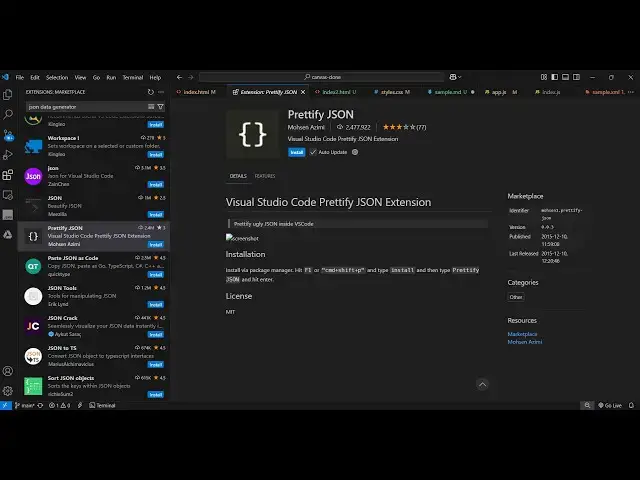
in one click in vs code so this is
0:10
actually prettyy Json and uh this is
0:15
actually the extension which is prettyy
0:17
which is very popular formatter
0:19
extension so this is actually another
0:21
extension developed on top of it prettyy
0:24
Json so it only validates or pretty F
0:27
Json files only it's almost called two
0:29
.4 million installs so simply install
0:33
this extension and activate this so once
0:36
you activate this let me show you the
0:38
example right here so now if you have
0:41
any Json file here so this is our
0:45
file and if you make any sort of
0:48
formatting mistake here so if you have
0:52
then you can simply select this control
0:54
shift p to enter the command pallet and
0:56
simply type here prettyy
1:00
Json so now you will see it will format
1:03
your Json and it will correct all the
1:05
formatting mistakes in one
1:07
click so it can be anything it can be
1:11
any bracket or spacing
1:13
issues any bracket issues you can have
1:16
some formatting issues so simply select
1:20
control shift p and then just type 35
1:23
Jon and it will everything
1:34
so you can see it is automatically doing
1:39
so simply select and then control shift
1:43
p and pry Json so simply select this
1:47
option you can even access this option
1:55
it and entering the command pallet and
1:58
then pretty you can see that so it's a
2:01
nice little extension you can activate
2:03
this on top of pretty file it only do
2:06
that's just for Json files only so
2:09
personally I use this extension to
2:12
format and prettify the Json files so
2:16
thank you very much for watching this
2:17
video and also check out my website free
2:20
mediat tools.com which contains
2:22
thousands of tools regarding audio video
2:24
and image and I will be seeing you in