Up next in 10

⚡Official Astro VSCode Extension is INSANE! Syntax Highlighting & Autocomplete in Seconds
Aug 2, 2025

Get the full source code of application here:
Show More Show Less View Video Transcript
0:00
Uh hello guys, welcome to this video. So
0:01
in this video, I'll show you the
0:03
official extension for VS Core for
0:06
Astro. Astro as you all know, it's a
0:09
very popular framework for building your
0:13
static websites. So this is their
0:14
official website astro.build. So they do
0:17
provide an official extension for VS
0:20
code for syntax highlighting, autocomp
0:22
completion, intellisense, all these
0:24
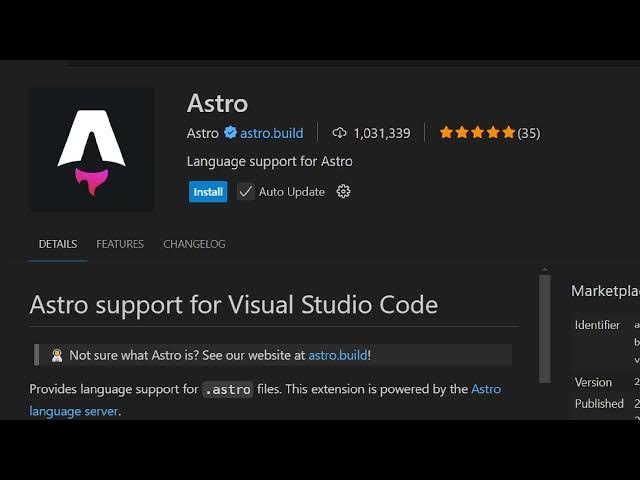
features. So if you go to V VS code
0:26
simply in the type search bar simply
0:29
type Astro this is their official
0:31
extension. If you don't install these
0:33
extensions your files will appear
0:35
something like this. No syntax
0:37
highlighting will be there if you if I
0:39
show you. So no syntax highlighting is
0:41
there. So it's very difficult to code
0:43
inside Astro. So this is a recommended
0:46
extension. You should definitely install
0:48
this 1 million installs are there. So
0:50
simply click the install button and
0:52
after you install this extension now you
0:55
will find out your Astro files will be
1:00
highlighted with this icon. So you
1:02
clearly understand that you are working
1:04
with a profile and all the syntax
1:07
highlighting will also be done right
1:08
here. You can see that. So in this easy
1:12
way you can actually fix
1:15
and install the official Astro VS code
1:18
extension to get the official syntax
1:22
highlighting for your Astro components.
1:24
And as you write the code as well, you
1:26
will also get the Astro autocomplete.
1:30
The errors will also be shown side by
1:32
side as well. So it's an ultimate
1:34
extension. Definitely install this.
1:39
So it's provided by the official company
1:42
Astro. So that's why it's official
1:45
extension. So definitely install this
1:47
extension.
1:48
It provides you with the syntax
1:50
highlighting and this icons as well.