Up next in 10


Get the full source code of application here:
Show More Show Less View Video Transcript
0:00
Uh hey guys, welcome to this videos. In
0:02
this video, I'll show you a very
0:05
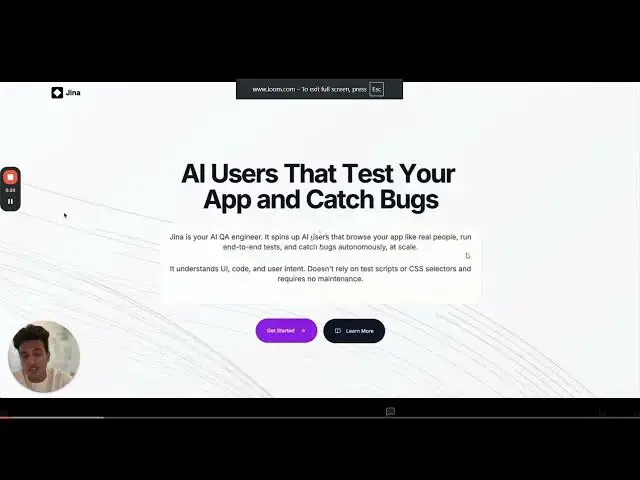
effective AI testing tool which is
0:07
called as use jana.com. If you go to the
0:11
browser, simply type this address
0:13
use.com.
0:15
It is not publicly released. It's a very
0:17
free tool and a new tool in the market.
0:20
So it can basically test out your
0:22
application by simply spins out AI users
0:25
that will basically test out your app
0:28
real like real people. It will run end
0:31
to end test and catch bugs automatically
0:34
inside your application. So this is your
0:37
sample video. They have shown how this
0:39
application works.
0:44
So it's basically a AI engineer which
0:46
will test out your app instantly. This
0:49
is their sample video where they show
0:51
how this works. So publicly it is not
0:54
released. It is in the beta version. So
0:56
you can actually get access
0:59
by submitting your email address. So
1:04
So this is actually not traditional
1:07
testing. It is done by the AI system of
1:09
this platform. So you can see it will
1:12
manually not do this automatically test
1:15
out your application.
1:17
It has a built-in browser as well. So
1:19
let's suppose you are having this
1:21
application.
1:24
So you get this run test button
1:29
and it will test out your application.
1:31
So
1:33
so if you want to get access you click
1:36
this button get access and you fill out
1:38
this form right here to get the early
1:41
access because it is in beta phase. you
1:44
will be getting access. So submit your
1:47
email address, name, role, category,
1:49
everything and you can get access to
1:52
this tool whenever it is released. You
1:54
will be the first to know. So definitely
1:57
check out this platform AI testing and
1:59
catching errors platform.
2:02
Also check out my website
2:04
freemediatools.com
2:06
which contains thousands of tools.
#Software
#Web Services