Up next in 10

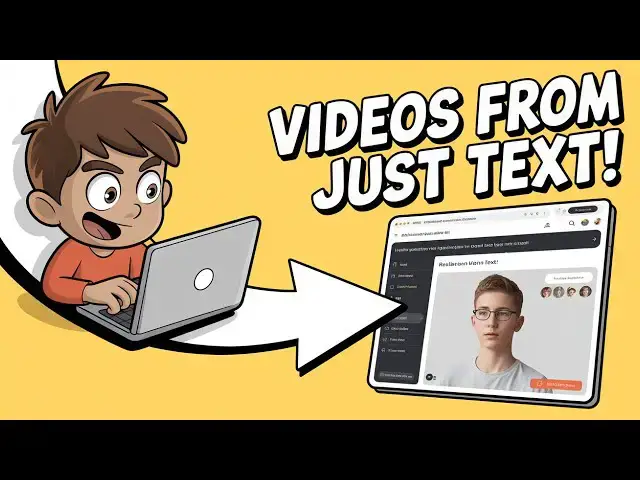
INSANE Hugging Face AI! ByteDance OmniHuman‑1 Generates Deepfake‑Level Human Videos from Just Text
Jul 22, 2025

Get the full source code of application here:
Show More Show Less View Video Transcript
0:00
Uh hello guys, welcome to this video. So
0:02
in this video I'll show you a AI
0:04
platform which is open source which is
0:07
used to actually uh generate videos from
0:10
text prompt. It is
0:11
omnihum-1.com/exttovideo.
0:16
It's basically by a company by dance.
0:19
This is the interface which simply looks
0:21
like this. Here you simply enter the
0:24
prompt what sort of video you want to
0:26
generate and you can simply visit this
0:28
URL and try this for completely free. So
0:31
let's suppose I write this prompt here
0:34
is simple
0:37
boy code doing
0:40
coding on a laptop. So I basically write
0:43
the prompt
0:46
a simple boy doing coding on a laptop in
0:48
a room and uh simply click on start
0:51
streaming and now what it will do it
0:54
will start to generate the video. So as
0:57
you can see it is processing
1:00
and generating the video. So instantly
1:02
as you can see it generated the video.
1:09
So the length of the video is 5 second
1:11
as you can see.
1:17
So and the nice thing is that there is
1:19
no watermark inside the video. As you
1:21
can see the AI has generated this video
1:23
and you can you just download this video
1:26
for completely free. So there is this
1:29
download button which is available.
1:32
Click on that and your video will be
1:34
downloaded inside your local machine.
1:44
So in this easy way you can basically
1:46
download.
1:53
So as you can see the video has been
1:55
successfully downloaded. So we can
1:58
change this or enhance the prompt as
2:00
well. So I can simply say just
2:09
wearing Christmas
2:13
hat. So basically I'm enhancing the
2:15
prompt here adding more features to it.
2:17
So uh rather than creating a new video
2:19
you can simply click this option enhance
2:22
prompt. So what it will do the AI will
2:25
read the prompt here and based upon that
2:28
it will uh edit the video.
2:32
A simple boy wearing a festive Christmas
2:34
hat. It's focused on coding on laptop.
2:36
So basically the AI has generated the
2:38
prompt for me and now click start
2:40
streaming. So now this will actually
2:43
generate the video for you. So the nice
2:46
thing is that it is completely free.
2:48
There is no restriction on how much
2:52
times you can generate the video. It's
2:55
open source. You can do this unlimited
2:58
number of times. So as you can see again
3:01
it enhances the prompt. it basically the
3:03
Christmas hat is there on the boy here
3:05
you can see and now he's coding so the
3:09
video looks realistic and you can't tell
3:12
the difference whether it's real or
3:13
generated by AI so this is their
3:16
platform here omnihum-1.com
3:21
and it's completely open source and uh
3:25
you can even check out their GitHub page
3:27
as well
3:31
so this This is the actual model that it
3:34
uses which is
3:40
hugging face as you could see.
3:44
So you can click on code here and go to
3:47
their GitHub page here. So this is the
3:49
actual model that it uses.
3:51
So
3:55
so we can just write any sort of prompt
3:57
here. Suppose I write
4:01
three guys doing
4:05
holding JavaScript.
4:35
So I've just written this prompt here.
4:37
Three guys wearing VS Code T-shirts and
4:39
doing coding on a laptop in a JavaScript
4:41
style room.
4:43
So again you click the start streaming
4:45
button here and uh again it will read
4:48
the prompt here based upon.
4:52
So as you can see it generated the
4:55
prompt here. So three guys you can see.
4:59
So you can even change here three guys
5:02
and two.
5:06
So if I click enhance prompt, it will
5:08
read the prompt here based upon it will
5:11
generate a proper prompt which will be
5:13
gen uh accessible through the AI. So
5:16
basically you can click this enhance
5:18
prompt button right here. It will give
5:20
you a detailed prompt
5:23
and then click start streaming. So now
5:27
after generating three four videos you
5:29
will get this limit which is zero. You
5:31
have exceeded your GPU coda. So,
5:35
so in one day you will get three four
5:37
videos. So you can try this with a
5:39
different account and you will be able
5:41
to generate. So definitely try this
5:44
omnihuman. So if you just type this on
5:47
omni AI by by tons
5:51
the very first link which comes. So this
5:54
basically ultra realistic human
5:56
animation and deep fake videos it will
5:59
try to generate.
6:03
So this is the technology AI technology.
6:06
So definitely check out this
6:10
and also check out my website free
6:14
mediatools.com uh which contains
6:16
thousands of tools.
#Programming
#Multimedia Software
#Open Source