Up next in 10

How to Turn ANY Photo into Professional Art in 3 Seconds | Photo to Sketch AI Review FREE Tool!
Jul 22, 2025

Get the full source code of application here:
Show More Show Less View Video Transcript
0:00
Uh hello guys, welcome to this video. So
0:02
in this video I'll show you a AI
0:04
platform which can turn your image into
0:06
a photographic professional sketch
0:10
drawing sketch. So this is called as
0:13
phototoscetch.ai.
0:15
So this is the platform it's simple
0:18
website here AI website phototosketch.ai
0:21
AI
0:22
and what this website does it actually
0:25
turns your picture into a photographic
0:27
sketch something like this without all
0:29
the filters which are available. So you
0:32
just need to drop your image. It's you
0:34
can totally try this for completely
0:36
free. As soon as you do the image it
0:39
will start to upload the image and using
0:41
all these models that are there. You can
0:44
select any model. Simply select it and
0:46
click start processing. So after you do
0:49
this, it will try to create or generate
0:53
a sketch of your image. So just wait for
0:56
some time. After it reaches 100%, it
0:59
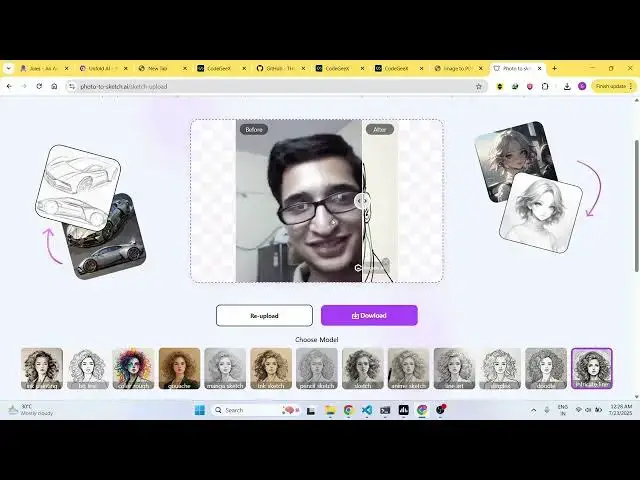
will create a sketch. Here you will see
1:01
this was the original image and now it
1:04
created the sketch. You can see how
1:06
awesome it is looking. And now you can
1:09
download this in ultra HD. You just need
1:13
to upgrade or you can simply download
1:16
the standard image which also look quite
1:18
good. So this is you can see it created
1:22
the sketch and also it has watermark in
1:25
the free version. If you just want to
1:27
remove this watermark you can upgrade to
1:29
your their pro plan.
1:33
So if you want a different version like
1:35
suppose this version you simply click
1:37
the model and again click regenerate and
1:40
after that it will regenerate the sketch
1:43
with that specific model that you
1:45
generated. So it has different filters
1:48
also available and the AI will generate
1:51
the filter for you. You can see that. So
1:54
now it generated this sketch here
1:59
unique sketch.
2:03
So you basically select the filter and
2:05
after that it will the AI will take over
2:08
and convert your image into a uh
2:11
professional looking sketch.
2:13
It can be pencil, charcoal, digital
2:16
style sketches with a single click. So
2:19
in 3 seconds your image
2:22
you can create a sketch of any image.
2:26
So
2:28
you can check out their pricing models
2:30
as well.
2:33
So the monthly plan start with $9. You
2:36
can basically process unlimited images,
2:39
high quality exports, commercial
2:42
license. You will also get watermark
2:44
free. So this is their $9 plan which is
2:49
starting. So definitely check out this
2:51
tool guys photoscetch.ai AI
2:56
and uh thank you very much for watching
2:58
this video and also check out my website
3:01
freemediattools.com
3:03
uh which contains thousands of tools.
#Online Media
#Photographic & Digital Arts
#Software