Up next in 10


Get the full source code of application here:
Show More Show Less View Video Transcript
0:00
Uh hello guys, welcome to this video. So
0:02
in this video, I'll show you how to
0:04
toggle or enable or disable screencast
0:06
mode inside your VS code. Screencast
0:09
mode is very easy mode. Uh so here
0:13
inside my VS code, there is a shortcut
0:15
here control shiftp on Windows to open
0:19
this command pilot. And here you just
0:22
search for this toggle screencast mode.
0:25
As soon as you see this, you will see
0:27
this option appearing toggle screencast
0:29
mode. So here control shiftp again
0:33
simply search toggle screencast mode. So
0:36
simply press enter. After pressing
0:38
center you will see your mouse will also
0:40
have this nice little symbol right here.
0:43
This is signifying that it is inside the
0:46
screencast mode. And now everything that
0:49
you type right here, it will be printing
0:51
out right here.
0:53
you will get this nice little written
0:55
notification.
0:57
This is essentially a screencast mode
1:00
right here. So every keystroke that
1:02
you're pressing on the keyboard is
1:03
actually uh displaying it right here at
1:07
the middle of the screen and also the
1:09
mouse also have this.
1:12
So in this way you can activate the
1:14
screencast mode and it also has its own
1:18
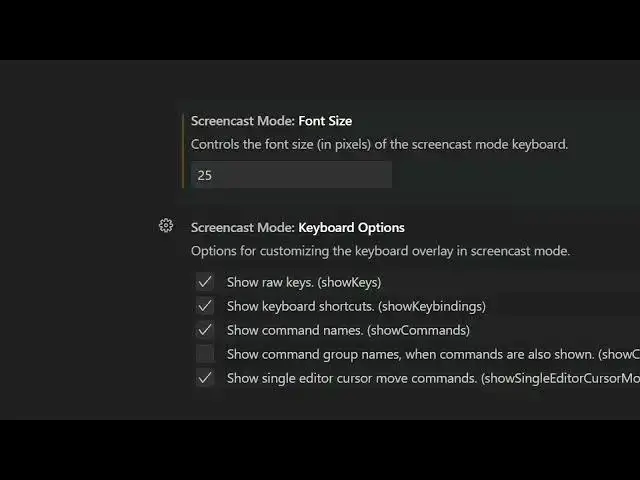
settings as well. You can go to the
1:20
settings option to activate.
1:23
Just type here screencast. And here you
1:25
can control the
1:28
amount of the size of the things that it
1:33
shows right here.
1:36
If I change to 50 right here. So now it
1:39
will be larger. So here you can control
1:41
the size as well. all these uh mouse
1:45
indicator color each and every setting
1:47
you can control of this screencast mode.
1:51
So in now to disable this again press
1:53
the shortcut key control shiftp and
1:55
again say toggle screencast mode again
1:58
press enter and now it the mode has been
2:01
disabled. So now in this easy way you
2:04
can toggle the screencast mode inside VS
2:07
code and also check out my website
2:10
freemediatools.com
2:12
uh which contains thousands of tools.