0:00
Uh hello guys, welcome to this video. So
0:02
in this video, I'll show you a VS code
0:04
extension which will actually shows the
0:07
size of the file in the status bar. So
0:09
if you go to the extensions tab, just
0:11
type here size and this extension will
0:14
come right here which is file size. It's
0:18
installed by 137,000 developers. It
0:22
currently shows the size of the current
0:26
file that you're working in the status
0:30
So you just need to activate this
0:32
extension by clicking the install
0:33
button. So once you click the install
0:35
button, you will see inside the status
0:40
So once you go to a file here, it will
0:43
write here in the bottom section of the
0:48
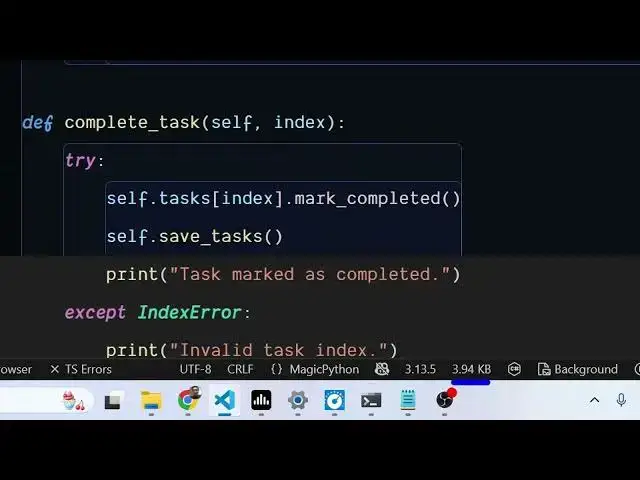
it will show the size here. So for this
0:50
current file, the size is 150 bytes.
0:54
So here it is showing.
0:56
So here you can go to any file here. So
0:59
now this size is 3.94 kilobyte.
1:03
So at any time you just need to see the
1:05
size here. You can go to the status bar
1:09
for the current file. It will show you
1:11
the current size. Here you see 18 by.
1:18
So it's a very useful extension.
1:21
Can see 1.5 kilobyte. So,
1:25
so during development you can actually
1:28
integrate and activate this extension
1:30
inside VS code which will directly show
1:32
the size of the file in the status bar.
1:37
So also check out my website
1:41
uh which contains thousands of tools.