Up next in 10


Get the full source code of application here:
Show More Show Less View Video Transcript
0:00
Uh hello guys, welcome to this video. So
0:02
in this video, I'll show you how to
0:03
format and critify your XML documents
0:06
inside VS code. So there is one such
0:10
extension you can install which is
0:15
if you just write here format XML in the
0:19
search bar.
0:21
So this extension will come right here
0:24
pretty XML and it's developed by almost
0:27
300 developers and it's XML formattered
0:30
extension for VS code
0:32
and once you click the install button
0:40
it will add an option inside your
0:42
context menu. So once you open your XML
0:44
file if you make any sort of mistake
0:46
inside your
0:48
formatting. So if you let's suppose I
0:51
make some unforatting mistakes right
0:53
here. So now the document becomes un
0:56
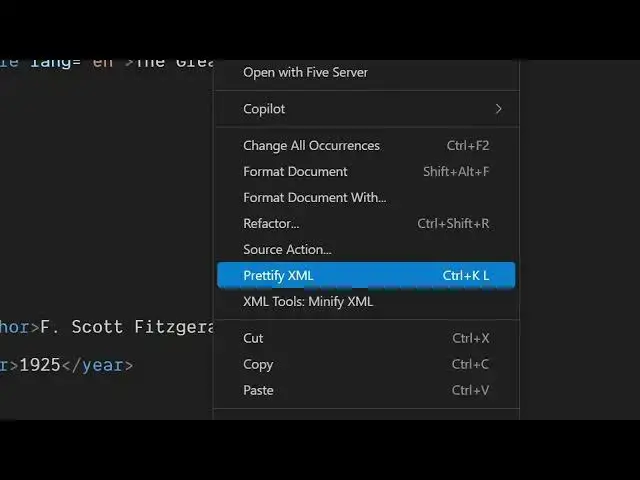
unforatted. So if you right click it
0:59
will add this option right here. Pritify
1:04
XML.
1:06
So once you do this
1:08
you will see automatically your document
1:10
will be formatted. So in this easy way
1:12
you can format your XML document.
1:17
You can see it can be for unforatted
1:19
like this as well. Again, simply click
1:22
pretty XML and instantly all the
1:25
unformatting will go away and it's a
1:28
very handy extension. It will add this
1:30
option right in the context menu on the
1:32
right. If you right click this option
1:34
right here will appear. So simply
1:37
install this pretty XML extension. It's
1:40
developed by this person and it's fairly
1:43
very good extension. It formats
1:46
instantly as soon as you click it. If
1:49
you make any kind of mistake, let's
1:52
suppose it can be a formatting
1:56
mistake.
1:59
Simply right click and you will see this
2:01
option.
2:05
So instantly all the formatting
2:08
will take place. So
2:12
I think one more extension is also there
2:14
which is this one XML format.
2:19
This one also does the same thing but I
2:22
prefer this one over this one because I
2:25
personally use it. So I think
2:28
both of this can work but uh I think
2:31
this one works it better. It adds the
2:34
option right inside this. So that's why
2:39
so you can decide which one to use. So
2:41
in this easy way you can pritify and
2:43
format your XML documents instantly. So,
2:47
thank you very much for watching this
2:48
video and also check out my website
2:50
freemediatetools.com
2:52
uh which contains thousands of tools.
#Software