Up next in 10

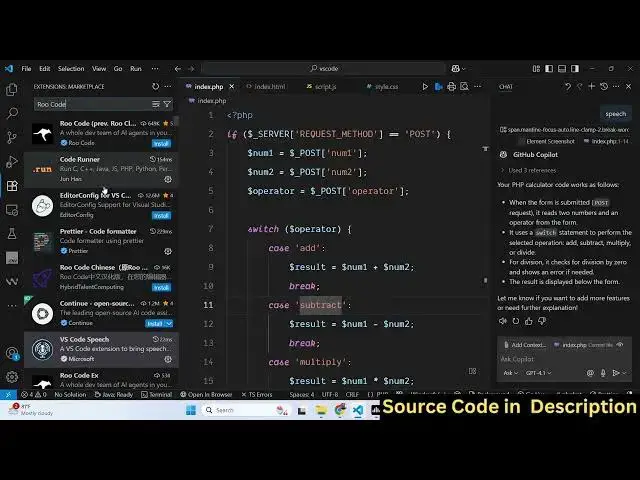
How to Integrate Voice Speech to Text Recognition in Github Copilot in VSCode IDE
Jul 12, 2025

Get the full source code of application here:
Show More Show Less View Video Transcript
0:00
Uh hello guys, welcome to this video. So
0:02
in this video, I'll show you how to add
0:04
uh voice speech capabilities to your VS
0:08
code editor, right? You can use it with
0:10
GitHub copilot. So as you can see, this
0:13
is the extension developed by Microsoft.
0:16
If you just go to extensions tab, just
0:18
write VS code speech. Now this is the
0:20
verified extension will come right here.
0:22
It will bring the speechtoext capability
0:25
to your VS code alongside with GitHub
0:28
copilot. Simply activate this extension
0:31
and after activating it now if you open
0:34
your GitHub copilot by clicking on that
0:38
it will add this button here. If you see
0:41
start voice chat so once you click this
0:44
button the button will get activated
0:48
and now it is listening. So please
0:50
modify this code so that it converts
0:54
images to PDF.
0:57
So
1:06
convert this code
1:08
to image to PDF.
1:17
So you can click the escape key as well
1:19
to start and stop.
1:23
So there is some kind of setting you can
1:25
do. If
1:28
in this
1:30
go to extension settings and right here
1:45
you can set this speech language
1:47
everything you can set right here.
1:58
uh set this image to PDF
2:02
and after you click this you need to
2:04
speak something through your microphone
2:07
and then it will detect it and uh work
2:10
with GitHub copilot. So in this easy way
2:12
you can activate this extension VS code
2:15
speech and use this speechtoext
2:18
capability.
2:24
So also check out my website
2:27
freemediattools.com
2:28
uh which contains thousands of tools.
#Intelligent Personal Assistants