Up next in 10


Get the full source code of application here:
Show More Show Less View Video Transcript
0:00
Uh hello guys, welcome to this video. So
0:02
in this video, I'll show you a very
0:03
important extension inside VS code which
0:06
will save you a lot of time. This is
0:08
called as auto rename tag. It's
0:10
typically used inside your HTML files.
0:13
So
0:15
if you go to extensions tab, just type
0:18
this extension auto rename and tag. It's
0:22
developed by this person Jan Him and
0:24
it's used by almost 23 million
0:26
developers and it's a fairly recommended
0:29
extension as well. So what this
0:32
extension does let me show you. If you
0:34
have a HTML file here and if you open a
0:37
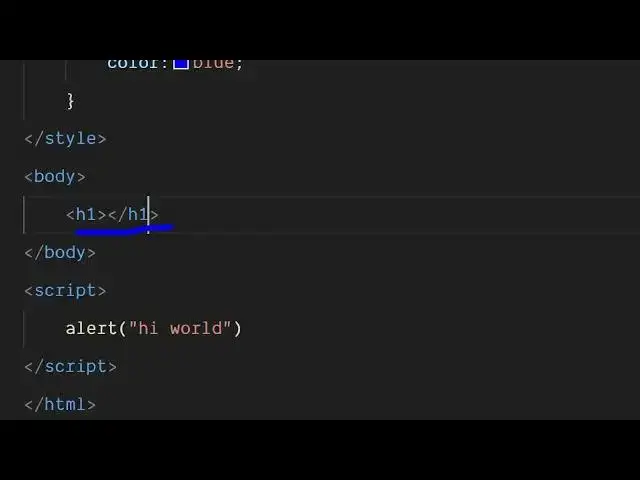
tag here
0:39
let's suppose I make a heading. So now
0:43
without this extension I need to
0:44
manually close the tag. So, so this will
0:49
basically it's a very tedious process
0:51
and it will it's a time wasting process
0:54
because you manually need to do this
0:56
process.
0:58
So
1:00
autoc closing tag is by default it's
1:02
there for VS code later version. If you
1:05
open the tag automatically the closing
1:07
tag will be there. But let's suppose if
1:09
you want to rename this tag to some
1:11
other tag H2. So now it doesn't do that
1:15
automatically. You need to manually
1:17
rename this to H2 as well. So this is
1:20
very time tedious process. Let's suppose
1:23
if you want to do it for thousands of
1:25
tags. So this will not do it
1:28
automatically. So now at that moment of
1:31
time this extension comes into the
1:33
picture. So simply click the install
1:35
button. And now what this extension will
1:38
do it will automatically rename the
1:40
stack for you. So now if I do the same
1:43
process here.
1:45
So let's suppose we have a simple
1:47
heading
1:48
and I need to change this tag here from
1:51
H1 to H2. And as I do this you will see
1:55
automatically here also it will change
1:57
automatically.
2:00
If I change it to paragraph.
2:03
So this is the thing about this auto
2:06
rename extension. So you can simply
2:08
install it and activate this extension
2:10
and it will save you a lot of time as
2:13
well. So,
2:15
thank you very much for watching this
2:17
video and also check out my website
2:19
freetools.com
2:21
uh which contains thousands of tools.
#Programming
#Software
#Development Tools