Up next in 10

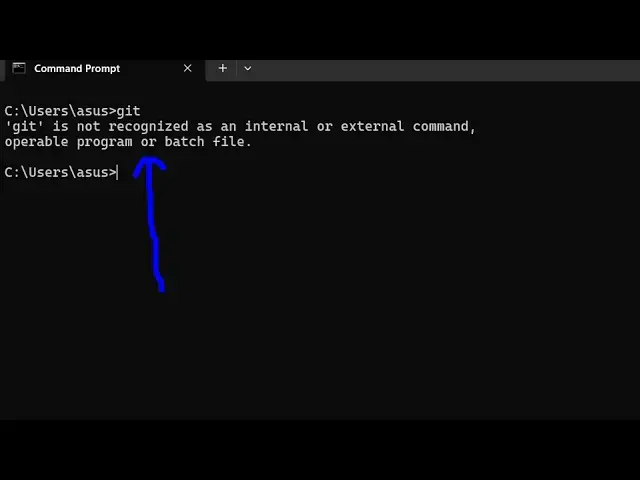
How to fix git bash is not recognized as an internal and external Command Error in Terminal
Jun 7, 2025

Buy the full source code of application here:
Show More Show Less View Video Transcript
0:00
uh hello guys uh welcome to this video
0:03
Uh so in this video I will show you if
0:05
you can't access
0:06
git from your
0:10
terminal So in this video I will show
0:13
you the fix G is a very important tune
0:15
when it comes to coding because you if
0:17
you need to push your code to GitHub uh
0:20
then git is used If you can't access it
0:24
first of all if you haven't installed
0:27
this then definitely installed it just
0:30
type get
0:32
download and get bash just go to the
0:36
website download for Windows or my Mac
0:39
or Linux I've already downloaded this
0:41
but still I'm getting this problem for
0:44
fixing this problem you just need to go
0:47
to the location where git is stored so
0:49
by default it's stored in the C
0:51
directory and Just open your program
0:54
files This is a
0:57
folder And just search for the git
1:00
folder This is actually the folder right
1:02
here Git
1:04
folder And just open your command line
1:07
folder This is a
1:09
folder And here all the executables of G
1:13
are present right here If you see and if
1:15
you try to open command line here just
1:18
type the same command the command will
1:20
perfectly work So what you need to do is
1:23
that you just need to right click copy
1:25
this entire location and just open your
1:27
environment
1:29
variable and
1:31
uh go to the system
1:36
variable system path variable just
1:38
select this and paste this
1:44
location So after doing this simply
1:47
restart the terminal and just type the
1:50
same command which is get So you will
1:53
now see the command will perfectly work
1:55
So in this easy way you can fix this
1:58
error message Uh thank you very much for
2:01
watching this video Also check out my
2:03
website freemediattools.com
2:06
uh which contains thousands of tools
2:08
regarding audio video and image