0:00
uh hello guys uh welcome to this video
0:02
so in this video I will show you if you
0:04
are facing problems in connecting uh
0:07
your application opening your
0:08
application debugging inside VS code if
0:11
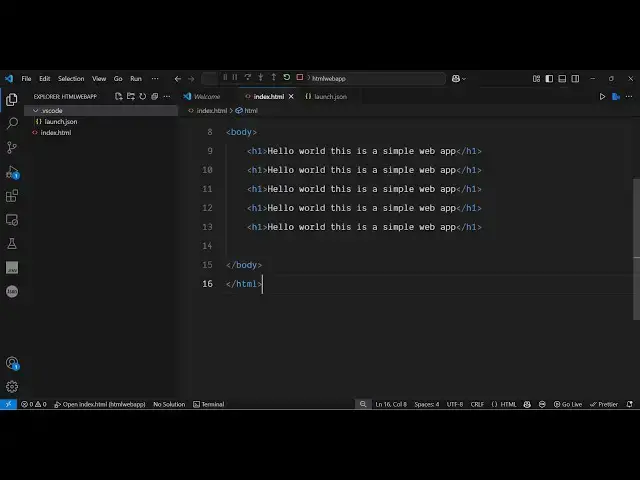
uh let's suppose I have the simple index
0:13
html file and uh if you're facing some
0:17
kind of problems in this you first of
0:19
all need to delete this uh launch.json
0:22
file which actually get created
0:24
automatically once you launch your
0:26
application in debugging mode let me
0:28
just disconnect it and start from
0:30
scratch so we have the simple index html
0:33
file and you just need to make sure that
0:35
you delete this file first of all just
0:37
delete this file and then just select
0:41
this option here which is run and
0:43
debug from the sidebar just select this
0:46
option and right here you will see this
0:52
launch.json file so simply just click
0:55
this option and as soon as you select
0:57
the option you will see from the
0:59
drop-down here you need to select which
1:01
kind of app you are making so typically
1:04
we are having this web application which
1:06
runs on the chrome browser simply select
1:08
the configuration and then it will
1:10
already create this uh JSON file
1:14
configuration file and now you don't
1:17
need to do anything just now select the
1:19
run option so it will all just create
1:23
this launch.json file automatically and
1:26
now select this run option and just
1:32
debugging and as soon as you do this you
1:34
will see your application will open and
1:37
now you can actually code your
1:39
application so in this way you can fix
1:42
that problem just delete that folder
1:44
first of all and then just create the
1:46
brand new and you can now see it is
1:48
perfectly working after you make the
1:51
changes just refresh and you will see
1:53
the changes it will be reflected back
1:56
and uh if you want to stop it you can
1:58
even do that if you don't want to do
2:00
debugging you can run without debugging
2:03
and now your application will run
2:09
so in this easy way guys you can fix
2:12
this problem if the local host is unable
2:14
to connect from VS code just do this
2:17
process step by step and you will be
2:18
able to solve this problem and also
2:23
freemediattools.com which contains
2:25
thousands of tools regarding audio video
2:27
and image and I will be seeing you in