Up next in 10

How to Enable & Disable GPU Rasterization Mode or Flag to Boost Speed in Google Chrome Browser
Jul 7, 2025

Get the full source code of application here:
Show More Show Less View Video Transcript
0:00
Uh hello guys, welcome to this video. So
0:02
in this video, I'll show you how to
0:04
enable GPU rasterization flag inside
0:07
your Google Chrome. So this will
0:08
significantly uh increase the boost of
0:12
your Google Chrome browser. So there is
0:14
a one flag that you can enable. Just go
0:16
to the address bar. Simply type here
0:19
Chrome/FL.
0:23
So this is the address that you need to
0:25
type here. Chrome colon slax slash
0:30
This will show you all the flags which
0:33
Google Chrome supports. So right in the
0:35
search bar, simply type here GPU
0:38
rasterization. So this is one flag which
0:41
uses your graphical processing unit,
0:43
your dedicated graphics card. If you do
0:45
have one graphics card available, you
0:48
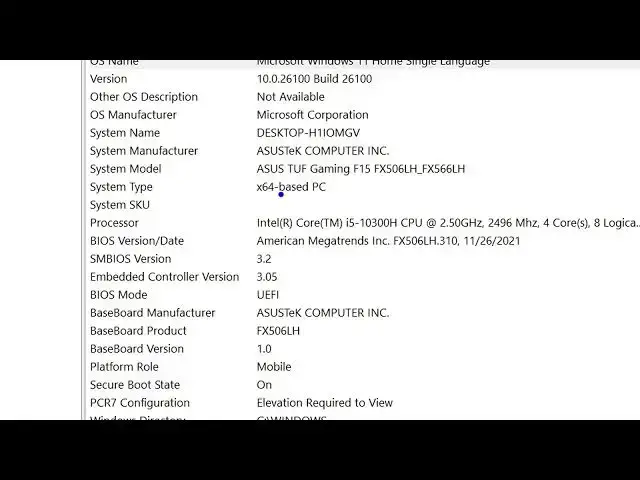
can check right here by going to system
0:50
information. So then it will tell you if
0:53
you do have a dedicated graphics card.
0:57
So I do have a dedicated graphics card.
1:01
So uh you can see this is my model
1:04
number.
1:06
You can even check it if you have a
1:08
dedicated graphics card by going to
1:10
device manager and inside your graphics
1:15
inside your display adapters. This is
1:18
the Intel built-in graphics card. But if
1:22
you do have a dedicated graphics card,
1:24
this will show right here. So I do have
1:27
this Nvidia GeForce GTX. So if you do
1:31
have a graphics card, you can enable
1:33
this setting. By default, it is turned
1:35
to default,
1:38
but you can change it to enabled. So
1:41
this will actually uses your graphics
1:43
card to actually boost the Google Chrome
1:46
speed. So after you make this change,
1:49
you just need to relaunch the Google
1:51
Chrome browser so for the changes to
1:53
take place. So click on relaunch and
1:55
then it will relaunch your Google Chrome
1:57
browser and automatically you will see a
2:00
considerable amount of speed difference
2:02
after you make this change. And please
2:05
hit that like button, subscribe the
2:06
channel and also check out my website
2:09
freetools.com
2:11
which contains thousands of tools.
#Internet Software