0:00
Uh hello guys, welcome to this video. So
0:02
in this video, I'll show you one setting
0:03
in Google Chrome which can significantly
0:05
increase the speed of your Google Chrome
0:07
browser. Simply right click and go to
0:10
this settings option and right in the
0:12
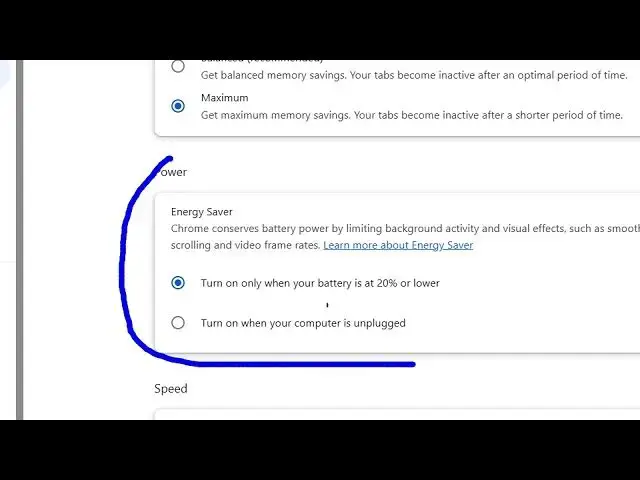
performance section there is this energy
0:15
saver mode inside Google Chrome. So by
0:18
default if you see this power section
0:21
energy saver. So it actually conserves
0:25
battery power by limiting background
0:27
activity and visual effects such as
0:29
smooth scrolling and video frame rates.
0:32
So by default it will turn off but at
0:35
any moment of time if you want to
0:37
preserve energy or conserve the battery
0:41
power you can enable this energy mode by
0:43
toggling this option on.
0:46
Then automatically this energy mode is
0:49
turned on and it will preserve your
0:55
and after enabling it you will
0:56
considerably notice a increase of speed
1:00
inside Google Chrome browser and if you
1:03
do notice this increase of speed you can
1:05
comment on this video and hit that like
1:07
button as well and also check out my
1:10
website freemediatools.com
1:13
uh which contains thousands of tools.