Up next in 10

Google Chrome Material Icons for GitHub – Make Your Repos Look INSANE Instantly!
Aug 15, 2025

Get the full source code of application here:
Show More Show Less View Video Transcript
0:00
Uh hello guys, welcome to this video. So
0:02
in this video, I'll show you a very
0:03
useful extension for the Chrome browser.
0:06
So if you simply search for material
0:08
icons for GitHub, simply search for this
0:11
extension, it's got almost 20,000
0:13
installs. So what this does, it's
0:15
actually if you visit github.com, if you
0:17
visit any repo, uh basically the icons
0:21
show something like this. So it actually
0:23
changes all these icons into material
0:25
icons. So it looks good. So by default
0:28
in the browser the icons basically comes
0:30
like this. So if you want to change the
0:32
appearance of these icons in the
0:33
github.com page you can definitely
0:36
install this extension material icons
0:38
for GitHub. So as soon as you activate
0:40
this extension just click add extension
0:43
and the extension will be installed
0:45
right here. As soon as it it is
0:48
installed the icons will be changed to
0:51
material icons. So this is a fairly
0:54
popular extension. So I've really found
0:56
it. So now it is installed. If you again
0:59
refresh this page here. So now you can
1:02
see the icons are changed to material
1:04
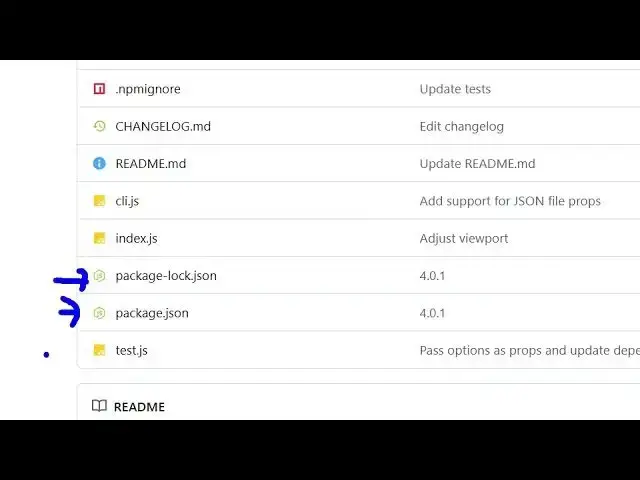
icons. So now you can see the appearance
1:06
of these folders, these files. So it
1:09
also shows you which file is all about.
1:12
So this is a readme file. So it has a
1:14
different icon. This is a JavaScript. It
1:16
has different logo right here. This is
1:18
your package.json. So this is for node.
1:22
So different files have different icons.
1:24
So you can clearly distinguish which
1:26
file is all about. So I basically found
1:29
out this extension to be really good.
1:31
Here you can see that it works with all
1:33
the languages here. C++, Java,
1:36
JavaScript.
1:38
You can see the folders as well. It has
1:40
different
1:43
icons here. So definitely install this
1:46
extension material icons for GitHub.
1:48
It's specifically designed for
1:52
github.com
1:53
website here. So now you can see you can
1:56
clearly distinguish which file is all
1:59
about. This is a C++ file. So it has a
2:01
different logo. This is different
2:04
fields.
2:06
So it works with all the repositories
2:09
you search on GitHub the public private
2:12
everything. So
2:15
so it's a very lightweight extension as
2:17
well. So that's why it is installed by
2:19
20,000 developers. So definitely install
2:22
it and also check out my website
2:24
freemediattools.com
2:26
uh which contains thousands of tools.
#Software
#Internet & Telecom