Up next in 10

Google Chrome GitHub Chat Extension is INSANE – Chat with Code Like Claude & Cursor!
Aug 15, 2025

Get the full source code of application here:
Show More Show Less View Video Transcript
0:00
Uh hello guys, welcome to this video. So
0:02
in this video, I'll show you a Chrome
0:05
extension which basically you can
0:07
integrate for
0:10
chatting with any GitHub repo.
0:13
So let me just open my G Zoomit tool. So
0:17
right here, this is actually the Chrome
0:19
extension GitHub chat by Lura. So if you
0:23
go to the extensions tab of your Chrome
0:24
browser, simply search for this
0:26
extension. It's a fairly new extension.
0:29
And what this does, it actually adds a
0:31
chatting button to your GitHub repo. You
0:33
can chat with an AI bot. So I've already
0:36
installed it. So once you install this,
0:38
it will directly install it and you can
0:41
pin this extension right here. And now
0:44
whenever you open any sort of GitHub
0:46
repo, you go to github.com. After
0:48
activating this extension, just search
0:50
for any public
0:52
repo. Let's suppose I search right here.
1:00
So right here you go to any
1:05
let's suppose I go to this repo GitHub
1:08
repository and you see this button right
1:10
here chat with this page. So this button
1:12
will appear right here and you simply
1:15
click this button and this AI chatbot
1:17
will open similar to chat GPT
1:21
claude and Gemini. So right here related
1:23
to this GitHub repo you can ask
1:25
questions. So you can simply say what
1:28
this
1:31
project is all about. So it will give
1:34
you a short little summary of what this
1:37
repo is all about.
1:40
So now it will generate this uh
1:43
documentation for you. So just need to
1:46
wait for some time and uh this is
1:49
completely free. There is no
1:50
subscription kind of a model so that you
1:53
want to pay something. This totally is
1:54
free. You can do this unlimited number
1:56
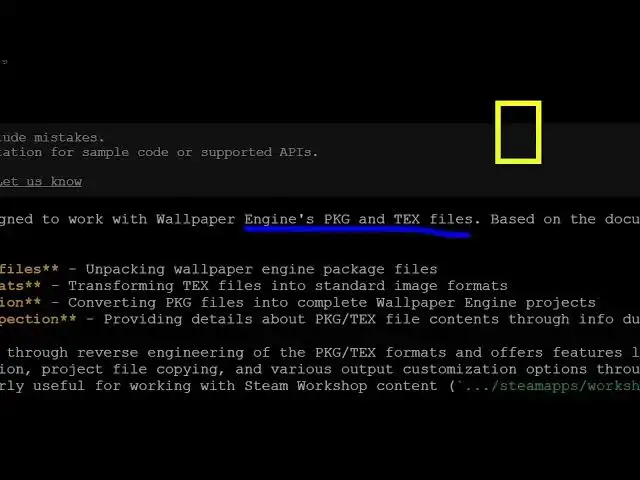
of times. So now you can see it's a tool
1:58
designed to work with wallpaper engine
2:00
package text file based on the
2:02
documentation is primary focus on you
2:05
can see it gives you what sort of
2:07
functionality is all about and you can
2:09
al multiple questions. So just give me
2:16
all languages and libraries used.
2:26
So now it will exactly tell you which
2:28
language programming language which sort
2:30
of libraries are used for this. Uh
2:34
so it will actually scan your uh this
2:37
GitHub repo. So you don't need to
2:39
extract and clone this. So this chatbot
2:42
will actually show you.
2:45
So you can see it's written in C C.
2:49
So based upon this uh
2:52
file it will exactly tell you. So you
2:54
can do this with any repo
2:57
unlimited number of times. So you can
2:59
actually go to
3:03
So here again you will see.
3:17
So you can install this extension GitHub
3:19
chat by this one. So it's got almost 64
3:24
installs. So definitely install this and
3:27
you will actually see a chatbot here. It
3:31
give you a detailed kind of a response
3:33
what this repo is all about. So it will
3:35
add this button right here. This chat
3:37
button will directly chat related to
3:39
this GitHub repo. So thank you very much
3:41
for watching this video and also check
3:43
out my website freemediattools.com
3:47
uh which contains thousands of tools.
#Programming
#Internet Software
#Online Communities