Up next in 10

👉 Google Chrome Extension – Instantly Download & Preview Any YouTube Video Thumbnail in HD
Aug 20, 2025

Get the full source code of application here:
Show More Show Less View Video Transcript
0:00
Uh hello guys, welcome to this video. So
0:02
in this video, I'll show you a Google
0:04
Chrome extension uh specifically made
0:07
for YouTube videos for extracting the
0:10
thumbnail of videos and showing it right
0:12
here in the sidebar section in a live
0:15
preview. So this is the extension
0:17
YouTube thumbnail preview and just copy
0:20
this name and you simply go to the
0:22
extensions tab. Simply type this and no
0:25
need to actually download the
0:27
thumbnails. You will see the thumbnail
0:28
right itself inside your Chrome
0:31
extension Chrome browser. Simply
0:34
activate this extension. It's got almost
0:36
8,000 installs. So once you activate
0:39
this uh the icon will appear of the
0:44
thumbnail. You just need to activate
0:45
this. So just pin this. So it will this
0:49
is the icon right here.
0:53
And now you open any YouTube video and
0:55
simply click on that and automatically
0:58
this will extract the thumbnail and the
1:00
thumbnail will show right here itself as
1:03
you can see. And now you can basically
1:06
open this thumbnail, right click, open
1:08
image in new tab and simply download
1:10
this thumbnail. So it's very simple. You
1:14
open any video.
1:19
So you basically open any video to get
1:22
the screenshot. Uh to get the thumbnail
1:26
you simply click on this extension and
1:28
automatically in the tab right here you
1:32
will see the thumbnail will show. You
1:34
can right click you can save this image
1:39
or save the thumbnail right here itself.
1:42
In this easy way you can see the
1:43
thumbnail has been successfully saved.
1:46
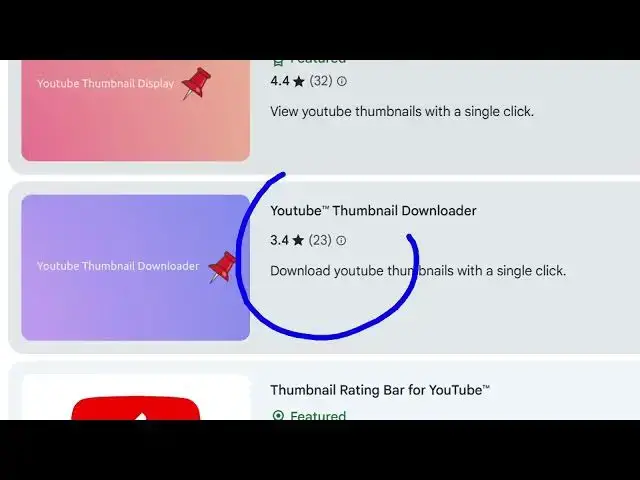
And apart from that there are also other
1:49
extensions which are also available to
1:51
us.
1:55
So you can try any of any of these
1:58
extensions. If you don't like this one,
2:00
you can try this one
2:05
which provides you YouTube thumbnail
2:07
downloader. It also does the same thing.
2:16
So once you click this it shows the ex
2:20
uh thumbnails in various qualities. Let
2:22
me try this extension.
2:24
So once again it activates you just need
2:27
to pin this extension.
2:30
So again you open any video simply click
2:33
on this
2:37
and automatically
2:40
it will download.
2:42
So here you can basically
2:47
it will show the
2:52
I think if you click this the thumbnail
2:54
will be downloaded but I need to adjust
2:57
the quality here.
3:01
So
3:04
in this easy way uh you simply write
3:07
here YouTube thumbnail
3:10
and quite a number of extensions will
3:12
come right here.
3:16
So just write YouTube thumbnail and uh
3:20
in this easy way you can
3:24
download the thumbnail and uh
3:28
just add the
3:35
so this is another extension right here.
3:38
It shows you all the
3:42
uh qualities right here. It shows you
3:45
different qualities. The thumbnail
3:46
should be downloaded. So you can simply
3:48
type YouTube thumbnail downloader. Quite
3:50
a number of extensions will come. You
3:53
can try any single of one of them.
3:59
So,
#Software