Up next in 10

🔍 Google Chrome Extension – Hide YouTube Thumbnails Block Clickbait & Browse Distraction Free
Aug 20, 2025

Get the full source code of application here:
Show More Show Less View Video Transcript
0:00
Uh hey guys, welcome to this video. So
0:02
in this video I'll show you one fun
0:04
little Google Chrome extension by the
0:06
help of which you can for the time being
0:09
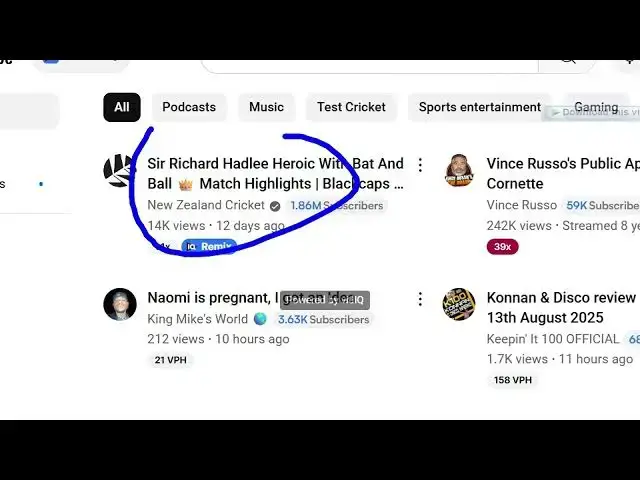
simply hide the YouTube thumbnails while
0:11
you are browsing YouTube. So simply
0:14
hover and only then see the thumbnails.
0:16
So this is the extension right here.
0:19
Hide YouTube thumbnails and uh if you
0:22
just go to the extensions tab simply
0:24
search for this and this
0:28
extension will come. So if you basically
0:31
don't or hate the clickbait thumbnails
0:35
for some reason, so you can activate
0:37
this extension. It's installed by 30,000
0:40
developers. So click on add extension.
0:42
So once again once it it is installed.
0:45
You simply activate this. The icon will
0:48
appear something like this. So now if
0:50
you visit YouTube here simply click on
0:53
this extension. So as soon as you do
0:57
this automatically your thumbnails will
0:59
be not be shown only the title is
1:01
showing the thumbnails are hidden. So in
1:05
this easy way using this extension you
1:07
can actually hide or deactivate the
1:10
thumbnails. So again if you click
1:15
you basically can set the options right
1:17
here thumbnail display mode. Either you
1:19
can hide the thumbnails or you can blur
1:21
it as well. So once you click the blur
1:23
section
1:25
so the thumbnails will be blurred out.
1:30
So just refresh
1:36
I think.
1:43
Yeah. So except
1:48
so now whenever you hover onto this then
1:50
only the thumbnails will show. So in
1:53
this easy way if for some reason if you
1:55
don't like to see the thumbnails on
1:57
YouTube you can actually install this
1:59
extension. It's very simple. A free
2:01
extension. Hide YouTube thumbnails and
2:04
install this.
#Online Media
#Internet Software