Up next in 10


Get the full source code of application here:
Show More Show Less View Video Transcript
0:00
Uh hello guys, welcome to this video. So
0:02
in this video, I'll show you a color
0:04
picker extension for your Google Chrome
0:06
browser. It's completely free, unlimited
0:09
access is there. So this is the color
0:12
pickle for Chrome. If you just search
0:14
inside the search bar, this extension
0:16
will come. It's used by almost 500,000
0:19
developers.
0:22
And this is their official website. You
0:24
can even check out auto color picker.
0:28
and uh it can detect any colors from any
0:31
website that you like. So the process is
0:34
simple. You add this extension. As soon
0:37
as you add the extension, this will be
0:39
added right inside your extensions tab.
0:42
And now if you go to any website
0:45
and you activate this extension, this
0:47
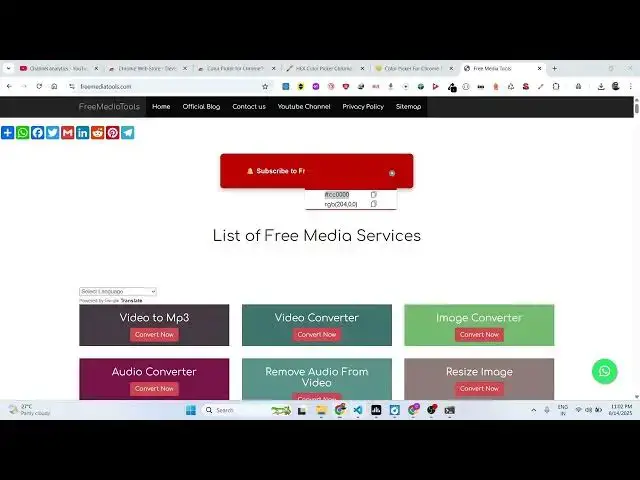
color picker will come right here. And
0:50
right here, you will be able to select
0:52
any color.
0:54
You can pick it and copy this hexa
0:57
decimal code. copy to clipboard
1:00
and right here you can paste it anywhere
1:04
like this.
1:06
It's a very useful extension to actually
1:09
pick your color picker using this free
1:12
color picker inside your Google Chrome
1:14
browser
1:16
and you can even pick a color from the
1:18
website as well. So if you like this
1:20
color you basically get this RGB or
1:24
hexadimal everything is there. So you
1:27
can copy this and paste it.
1:30
You can see that. So it will save you a
1:33
lot of time.
1:35
It will automatically detect. You click
1:38
this, click on the pick option and then
1:40
if you need this color.
1:45
So just copy this hexodimal or RGB. Very
1:49
simple. Just activate and place it
1:51
wherever you need to.
2:00
So very simple extension but yet
2:02
powerful color picker and color
2:04
extractor from any website. Hexad is
2:06
small RGB value. So pick any color
2:09
instantly
2:11
and uh it's completely free. There is no
2:14
restriction of any use. So simply select
2:21
it. also shows you their recent colors
2:23
out there that you pick.
2:28
So definitely install this extension
2:30
guys and also check out my website
2:32
freemediattools.com
2:33
uh which contains thousands of tools.
#Internet Software
#Freeware & Shareware