Up next in 10


💡 Try it here: : https://groq.com/
Show More Show Less View Video Transcript
0:03
Uh hello guys in this uh live stream I
0:06
will actually show you a chat GPT
0:09
alternative AI platform it's called as
0:12
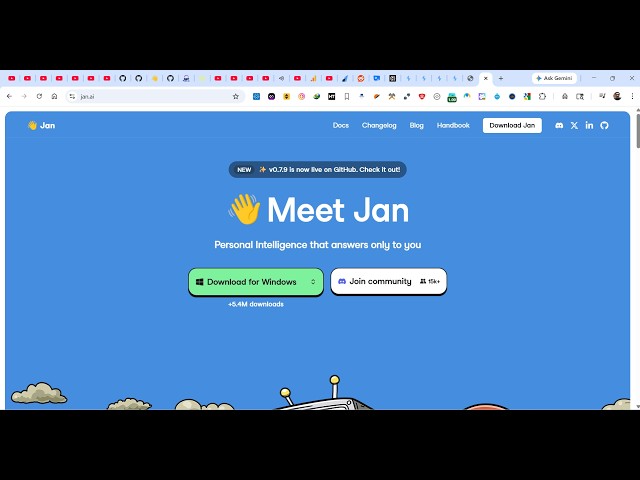
JAN AI J A N AI if you directly type
0:16
this on Google the very first result
0:18
which comes
0:20
so this is completely open source as
0:23
opposed to chat GPT which is a paid
0:25
subscription software you can directly
0:27
install this inside your desktop machine
0:29
as the desktop software.
0:32
So, JANAI the very first website which
0:35
comes it's actually open-source
0:37
alternative to chat GPT. So, directly
0:39
you can run open-source AI models
0:41
directly locally inside your machine and
0:45
you can download it for Mac, Windows,
0:47
Linux,
0:49
Linux all the respective operating
0:51
system. So, I am using it for past two
0:53
years and I'm not getting any problem of
0:56
subscription. So it's just a lightweight
0:58
software 52 MB
1:02
and it directly installs directly inside
1:05
your machine. So once it get installed
1:08
you directly run the setup file.
1:16
So it directly follow the step-by-step
1:19
instruction. So once it get installed
1:22
you directly run like chat GPT directly
1:25
inside your machine. So the screenshot
1:27
as you see we have the chat prompt. So
1:30
right here as you basically ask question
1:34
in chat GPT you directly use JAN as well
1:37
in the same way you can build out coding
1:40
applications you can generate text
1:42
images videos everything you can do with
1:44
the help of this AI platform. So once it
1:48
installs successfully uh it will
1:53
the window will directly open.
1:56
You can also check out its
1:58
documentation.
2:00
If you you can read this to get started
2:03
here. All the core models are present
2:06
open-source models you can directly use
2:09
it. So now this actually the interface
2:12
looks something like this. So right here
2:15
you simply ask whatever
2:18
and all your open-source models directly
2:21
come here. So here you can search for
2:23
all the opensource models from here.
2:27
All the providers are there.
2:30
You can even configure your own model as
2:32
well by providing the API key and
2:35
anthropic as you can see that you can
2:37
use their latest model as well.
2:42
From here you select whatever model that
2:44
you want to use. So
2:47
I'm using this coin model. So I simply
2:50
type a message. Hi.
2:54
So you need to select uh the free model
2:57
which is there
3:00
I think. Yeah. So this deepseek model is
3:02
completely free.
3:31
So if you're using it for the very first
3:33
time, you need to actually paste the
3:36
open router
3:38
API key. So this open router API key you
3:42
can directly get for completely free. So
3:45
just create a simple account on open
3:48
router which actually is a website which
3:50
provides you free access to all the
3:53
premium AI models. So you can get an API
3:57
key right here.
4:00
I think
4:10
click on get API key and uh just create
4:13
a API key right here.
4:19
Uh simply paste this API key right here.
4:25
After that click on new chat.
4:31
Just select
4:45
it saying no end points found for I
4:48
think you need to configure this models
4:51
right here.
4:57
So this is a really good uh
5:00
chat GPT alternative you can use
5:03
directly install it and start using it.