Up next in 10

FFMPEG Command to Mix and Merge Multiple Audio Tracks in Video Using amerge Filter in Terminal
Jun 3, 2025

ffmpeg -i 2.mp4 -stream_loop -1 -i beep.mp3 -filter_complex "[0:a][1:a]amerge=inputs=2[aout]" -map 0:v -map "[aout]" -c:v copy -c:a aac -ac 2 -shortest mixed.mp4
Show More Show Less View Video Transcript
0:00
uh hello guys welcome to this video so
0:02
in this video I will show you how to
0:04
merge multiple audio
0:06
tracks mixed together into inside a
0:09
video so what this is mean inside we can
0:13
do this easily inside fpg let's suppose
0:16
you have a video with the original audio
0:18
track so this is my video right here uh
0:21
hello guys welcome to this video so I
0:23
will show you if you can't access it
0:26
contains the audio so now what we need
0:28
to do we have a second kind of a audio
0:31
file this is a beep
0:34
sound so if you want to add this audio
0:37
as well alongside with the original
0:39
audio you can use this a simple ffmpg
0:42
command so with this command you can mix
0:44
multiple audios together inside a video
0:49
so I have given this command in the
0:51
description of this video so let me just
0:53
first of all show you what this command
0:55
can do
1:00
let me just paste
1:03
it so essentially you should need your
1:07
uh second audio file so this is my
1:09
simply in this case a beep sound so if I
1:13
just execute this
1:14
command so just make sure that you are
1:17
on the same directory
1:26
so now it is just executing the command
1:28
right here just wait so now you can see
1:31
a video file is created which is
1:33
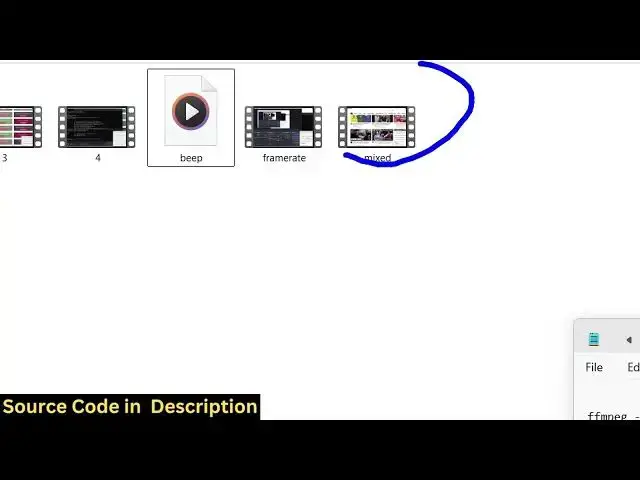
mixed so if I open this you will see two
1:36
audios will be there uh hello guys
1:40
welcome to this video so in this video I
1:41
will show you if you can't
1:44
access you can see the beep sound is
1:47
repeating
1:48
itself to the entire video file from
1:51
terminal f paste this location this is
1:55
the this is the So this beep sound can
1:57
be anything you can even add background
1:59
music as well if you have a background
2:02
music that you want to add alongside
2:04
with your video for copyright issues I
2:07
can't show you music but you can instead
2:11
of this beep sound you can actually add
2:14
your own background music as well which
2:16
will keep repeating in the background
2:19
inside your video this command will is
2:22
really useful at the same time because
2:24
you don't need any kind of video editor
2:26
for this so you can easily execute this
2:29
if you have having ffmppg installed let
2:32
me now explain you what this command is
2:34
doing it is actually taking this input
2:36
file dash I it is looping through this
2:39
uh beep sound that is this the second
2:41
audio second audio track dash stream
2:45
loop and then we applying this uh
2:47
advanced filter filter complex complex
2:50
filter we are merging the both the
2:52
audios
2:54
together so into a single audio track
2:57
and then we mapping all the encoding
3:00
settings like this and then creating
3:03
this output file so the audio track will
3:06
be one but it will be mixed together in
3:08
the output
3:09
file so you will see the audio track if
3:12
I show you there will there will be only
3:15
one audio track because we mix to the we
3:18
mix together both these audios guys
3:21
welcome to this videos all these
3:24
three so this is really useful guys
3:26
because if you have some kind of music
3:28
that you can easily add to your existing
3:31
videos with this command no need to
3:34
actually add some kind of video editing
3:36
skills you can simply execute this
3:38
command i've given this command in the
3:41
description of this video so thank you
3:44
very much for watching this video and
3:46
also check out my website
3:48
freemediattools.com which contains
3:50
thousands of tools
#Music & Audio
#Music Videos
#Multimedia Software
#Podcasts