Up next in 10


Buy the full source code of application here:
Show More Show Less View Video Transcript
0:00
uh hello guys welcome to this video So
0:02
in this video I will show you how to
0:04
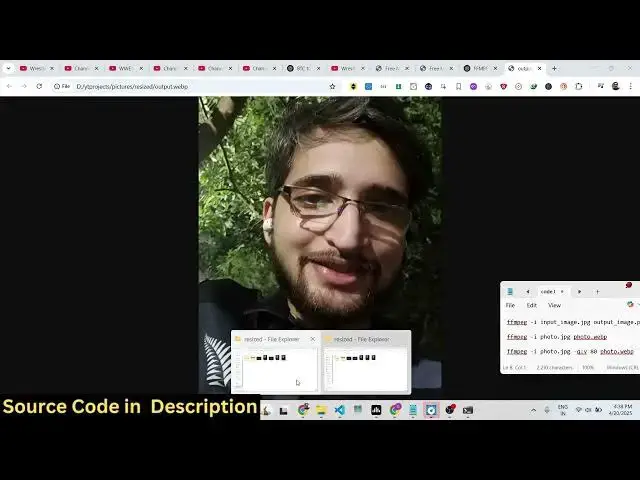
build a image converter inside FMPG uh
0:07
using a simple command in the terminal
0:09
So if you have some kind of image right
0:11
here it can be any format JPG PNG WEBP
0:15
format So it's very easy to convert
0:18
image from one format to another So I
0:21
have this image right here profile JPG
0:24
So if I want to convert this in into PNG
0:27
I will just uh write like this fmpp I
0:31
you provide the input file which is
0:33
profile jpg and then we provide the
0:36
output file name So I need to convert
0:40
this jpg into png So simply I write this
0:43
and it creates this output file If you
0:47
see this is
0:50
your PNG file Now it has been
0:53
successfully
0:55
converted and similarly we can convert
0:58
this into a webt format as well So we
1:00
just need to write output
1:03
webp which actually runs in the browser
1:06
You can see we write like this and it
1:08
actually creates a webp image which runs
1:11
in the browser You'll
1:13
see So in this easy way you can convert
1:16
image from one format to another using
1:18
ffmppg very easily
1:21
So we can just write here PNG So it also
1:27
works So output PNG You can basically
1:31
convert from any format to anything
1:34
You'll
1:35
see So if you have this
1:37
output if you want to convert the webp
1:40
image you would
1:44
say webp to jpg Convert from any format
1:48
to other webp to jpg this will also work
1:52
You'll see it created this
1:55
file
1:58
So this is actually a very simple
2:00
command You write the input image we
2:04
convert this to the output So in this
2:07
way you can do this guys and thank you
2:08
very much for watching this video and
2:10
also check out my website
2:12
freemediatools.com which contains
2:14
thousands of tools
#Flash-Based Entertainment
#Online Media
#Programming
#Software
#Multimedia Software