Up next in 10

Code to Image AI Transform Your Code into Stunning Images in Seconds—Perfect for Devs & Educators!
Aug 7, 2025

Get the full source code of application here:
Show More Show Less View Video Transcript
0:00
Uh hello guys, welcome to this video. So
0:02
in this video I'll show you a website uh
0:05
which actually transforms your source
0:08
code into beautiful image. So simply go
0:10
to the browser simply type code to image
0:13
generator.com
0:15
and this application will come right
0:17
here. So here you can actually it's a
0:20
fullyfledged editor. So side by side you
0:23
would write your code here inside this
0:25
editor.
0:27
So you can edit all your code. Simply
0:29
paste the code and then from the
0:31
drop-down you can export this to a PNG
0:34
or JPG.
0:35
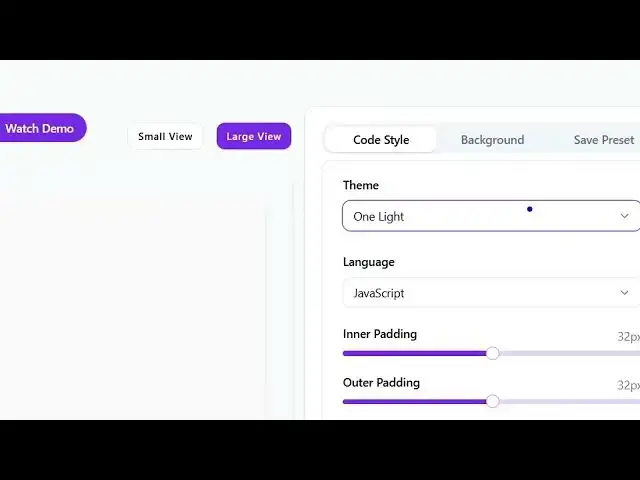
And in the left hand side you will also
0:38
be able to change the background as
0:40
well. You can see
0:48
you can even add a gradient as well. So
0:51
for unlocking the premium gradients you
0:53
can access the lifetime pro access plan
0:55
which is onetime payment $20 and then
0:59
you all these features you will get.
1:02
I think the free version is more than
1:04
enough. Some gradients are free some are
1:07
paid ones. So now click download image.
1:10
So this will actually export the source
1:13
code to this beautiful looking image.
1:17
So this is really useful application. So
1:20
if you want to share code snippets, this
1:23
really easy for exporting your source
1:25
code. You can even change it to small
1:28
view as well. Can zoom in, zoom out,
1:31
everything you can do.
1:37
And uh
1:42
so for upgrading it simply click update.
1:44
Now you will be able to pay the first of
1:48
all sign in and the free version is more
1:51
than enough and then we also get various
1:54
themes from this theme section right
1:56
here. If you see a lot of themes are
1:59
present so you can select any theme that
2:02
you want to like.
2:05
So right here you can just
2:10
it's a complete editor. So right here
2:12
you can write the code.
2:19
So various languages are supported. So
2:22
if you are working in PHP or you can
2:24
select your target language.
2:32
You can even add a pattern background as
2:35
well. So
2:37
and you can save this as a preset as
2:40
well. So these are a very good tool. You
2:44
can see you can control everything using
2:46
the slider.
2:51
Can even rotate it. So if you now click.
3:04
So this is a tool guys which is code
3:06
toimage generator.com. Definitely try
3:09
this.
3:10
And also check out my website
3:12
freemediatools.com
3:14
uh which contains thousands of tools.
#Programming