0:01
Hello guys, in this live stream I will
0:06
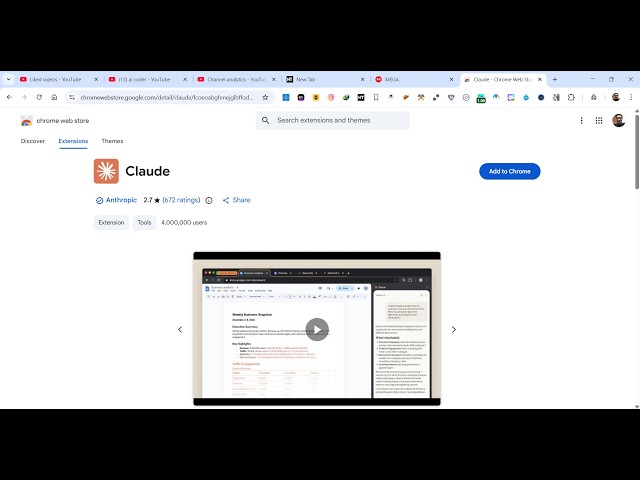
extension Google Chrome extension which
0:09
is released by Claude.
0:10
Claude, as you all know, it's a popular
0:14
website where you can actually chat with
0:17
the AI for day-to-day task related to
0:19
coding and development. So,
0:22
they have released their own Chrome
0:28
go to Google Chrome extensions
0:30
and simply search for this extension
0:36
simply type here Claude.
0:40
And you will see the very first
0:42
extension which comes. This is actually
0:44
the official extension
0:46
for using Claude directly inside your
0:48
Google Chrome. It's still in inside beta
0:51
but you can test it out. It's almost
0:54
installed by 4 million developers.
0:58
So, what you need to do, click on this
0:59
add to Chrome button. This will add this
1:03
And you will be able to add this.
1:07
So, once it is added right here, you
1:09
will be need to access it.
1:12
It will appear something like this.
1:15
>> This icon will appear and
1:18
whenever you are visiting any site, once
1:21
you click this, this sidebar section
1:23
will open and here you will be able to
1:25
use Claude extension directly inside
1:29
So, for the very first time you click
1:37
You just need to grant access.
1:49
So, basically Claude in Chrome is
1:51
available to all paid plan subscribers.
1:58
for this extension you need to upgrade.
2:01
So, inside your Claude plan,
2:03
whatever is your account,
2:11
This is only available to the pro users.
2:13
So, free users can't use this.
2:18
So, in the pro in the pro plan,
2:21
which is starting about $17 per month,
2:24
you will get this Claude code directly.
2:31
And once you are paid user, you will
2:33
directly click on login.
2:35
And it's only available to all the paid
2:42
>> So, once it is activated, you will be
2:43
able to use this extension.
2:46
And as you see, it directly opens the
2:50
Claude directly inside the sidebar
2:52
section and here you will be able to use
2:54
this Chrome extension directly inside
2:58
This is actually the extension. There
3:00
are lot more. If you type this Claude,
3:03
if you don't want this, you can delete
3:21
So, there [snorts] are also lot more
3:34
If you just type here Claude,
3:36
there will also come free extensions as
3:40
which doesn't require any paid pro
3:44
You can use these extensions for
4:00
pay for any sort of extension. So, you
4:02
can use these extensions for totally