0:01
Uh hello guys in this live stream I will
0:04
once again show you yet another AI
0:06
coding builder for building full stack
0:08
coding applications. So if you go to
0:10
Google, simply type this
0:16
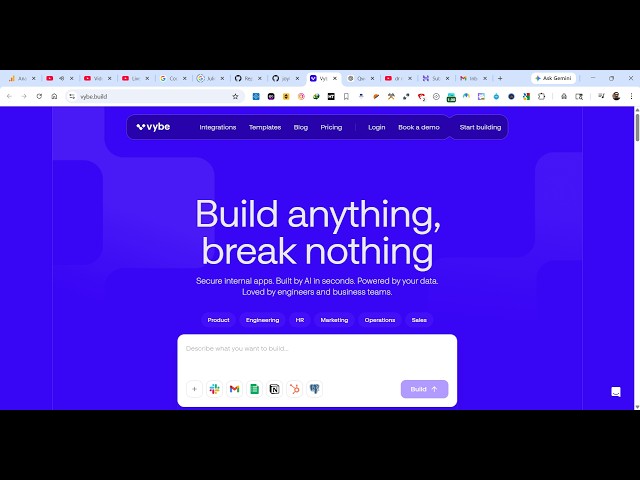
The very first website which comes, this
0:18
is actually a app builder where you can
0:22
actually build out anything. So once you
0:24
land on this, you will see the chat
0:26
prompt. So here you can actually start
0:29
building your applications. So now
0:33
you can actually sign up using Google
0:35
account, very simple.
0:37
Just log in with your Google account.
0:42
So once it completes, it will redirect
0:45
dashboard area. You just need to set up
0:51
Just set up a name here. That's all that
0:55
After that, you will be redirected to
1:02
and first of all you can connect some
1:04
applications right here.
1:09
and come to the builder section. So
1:13
from here you can actually create
1:16
your coding applications directly by
1:19
writing to the prompt.
1:32
So we also have the chat section as
1:33
well. So inside the chat prompt, you
1:35
will specifically It has all the models
1:38
as you can see that here.
1:40
So this is the yb.build.underscore_chat.
1:44
So right here I simply tell the AI I
1:52
Specifically, I sent out this request
1:54
and you will see that the AI will start
1:57
preparing this application for us.
2:03
So it's similar to Claude, Gemini, GPT.
2:08
Uh as you see I written this prompt,
2:11
automatically the AI is generating the
2:18
So it simply generated the description.
2:41
It When it completes, it will dis-
2:43
generate a live preview. It will give
2:47
Your application will also be deployed.
2:49
So definitely check this out. It's a
2:55
AI application builder.
2:58
So definitely check this out. So
3:27
So you can create multiple conversations
3:29
as well by clicking this plus icon.
3:33
So just type the prompt and just left
3:36
everything to the AI.
3:38
It will start preparing your application
3:40
directly. It has a fully fleshed code
3:44
You will see the live preview of the
3:49
So you also get publish button as well
3:51
where you can publish the app directly,
3:57
Here you see all the code generated as
4:13
So here you simply type the prompt build
4:27
And now the AI will start preparing the
4:55
You can even upgrade as well
4:58
once your credits are over.
5:00
It does have a pro plan as well, $49 per
5:04
It gives you 2,000 credits. Also have