Up next in 10

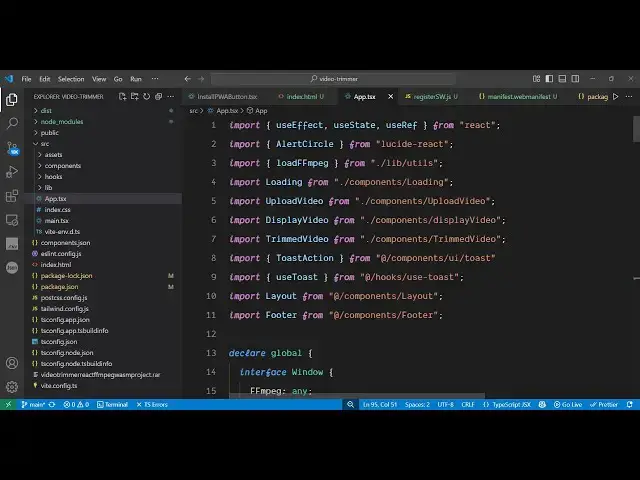
Build a React.js FFMPEG WASM Timeline Video Trimmer Editor in Browser Using TailwindCSS in TS
Jun 19, 2025

Buy the full source code of application here:
https://procodestore.com/index.php/product/build-a-react-js-ffmpeg-wasm-timeline-video-trimmer-editor-in-browser-using-tailwindcss-in-ts/
Hi Join the official discord server to resolve doubts here:
https://discord.gg/cRnjhk6nzW
Visit my Online Free Media Tool Website
https://freemediatools.com/
Buy Premium Scripts and Apps Here:
https://procodestore.com/
Show More Show Less View Video Transcript
0:03
uh hello guys uh welcome to this live
0:06
stream so in this live stream I will
0:08
show you yet another ReactJS project
0:11
that I developed inside
0:14
the browser which is actually a ffmpg
0:17
web assembly video trimmer editor where
0:20
you can actually cut your videos or trim
0:23
your videos using a nice little
0:26
interface so as you can see I'm running
0:28
this application on localhost 5173
0:32
this is actually the interface of the
0:33
application here you will upload or
0:36
select your video file and as I select
0:39
the video here you will actually see the
0:42
sliders here you can control the
0:45
timeline it will show clearly this is
0:48
actually a timeline video editor here
0:50
you can trim out the specific portion of
0:52
the video so you can have all these
0:55
sliders right here and then it will show
0:57
you this is a starting time this is your
1:00
ending time so this merge of portion you
1:02
want to trim out and we have this button
1:05
right here trim video and as as you are
1:08
just moving the sliders you can see the
1:10
video is also playing
1:13
and uh now if you are wanting to trim
1:16
this portion you click the button as
1:18
soon as I click the button ffmppg will
1:21
execute in the browser using the ffmpg
1:24
web assembly library as soon as I click
1:27
you will see you will get this
1:28
notification that your video is trimmed
1:30
successfully now this is 26-cond video
1:34
and now you can even go back like this
1:37
once again you can do this process very
1:40
simply the app is really fast it is all
1:43
this is executing in the browser it's a
1:46
static application no serverside code is
1:48
involved as you press the button you
1:50
will see once again the video will be
1:52
trimmed
1:54
required for this you can play the video
1:56
and then we have the download button and
1:58
as soon as you click the download you
2:00
will see your video will get downloaded
2:02
and now you can play this video inside
2:05
your browser
2:09
folder and you will get your all cut
2:12
this inside your so this uh if you want
2:15
to get the source code of this project
2:17
guys the link is given in the
2:19
description and uh once you purchase it
2:22
you will get this zip file you just need
2:23
to extract it and the overall
2:26
application is divided into multiple
2:28
components as you can see here each
2:30
application part is divided into its
2:33
respective component which is coded
2:35
inside typescript and for building this
2:38
application we have used ffmppg web
2:40
assembly if you don't know about ffmpg
2:43
library it's an open-source video and
2:45
audio processing library and basically
2:48
it's a command line library and ffmp
2:52
ffmpg web assembly makes it possible to
2:55
execute this directly in the browser so
2:58
this is the actual opensource library
3:01
that we are using to execute fmfmppg
3:04
directly in the browser so that's why if
3:07
you load your application you just need
3:09
to select a video file and as soon as
3:12
you select it you will be able to trim a
3:14
specific portion of the video as soon as
3:17
trim and you can see instantly the video
3:20
is trimmed
3:22
and we have the download button so once
3:24
you get the source code guys you will be
3:26
able to modify the code as well and add
3:28
additional features on top of this
3:30
project and you will get to know about
3:32
how I coded this project from scratch
3:34
using fmpp web assembly library and if I
3:37
show you the package dojson file we are
3:40
using the latest version of react here
3:42
which is 18
3:44
and we have also used Tailwind CSS which
3:47
is a CSS UI framework for designing your
3:52
HTML documents so this is the overall
3:55
complete project the link is given in
3:57
the description you can go to my website
3:59
procodestore.com purchase the project
4:02
and after that you will get this
4:04
full source code and now to run this
4:06
it's very simple you simply say npmi
4:09
this will install all the NodeJS modules
4:11
and it will create a node modules folder
4:14
and after that you just simply say npm
4:16
rundev this will start the development
4:19
server and as you can see we are running
4:21
this application on localhost 5173
4:25
so if you want to deploy this
4:26
application you simply say npm run build
4:29
this will create a test folder that you
4:31
can see right here and it's very easy to
4:34
deploy this application as well so
4:38
definitely guys if you're watching it
4:40
for the very first time please hit that
4:42
like button subscribe the channel as
4:44
well for more videos like this and if
4:47
you are interested in purchasing this
4:48
project the link is given in the
4:50
description and also check out my
4:52
website guys which is
4:53
freemediattools.com
4:55
uh this is my own website which contains
4:58
unlimited number of tools regarding
5:00
audio video and image and I will be
5:03
seeing you guys in the next live stream