0:00
Uh hello guys uh welcome to this video.
0:02
So in this video I'll show you I
0:04
basically built out a nextjs project
0:08
which allows you to actually edit your
0:11
markdown files directly in the browser
0:13
and view them. So I'm running this
0:15
application on local host here. It's a
0:18
nextjs application. It's a markdown
0:20
editor which you can export your
0:22
markdown into html and pdf as well. So
0:25
simply you will paste your markdown
0:27
inside this text field. I already pasted
0:30
it. So once you refresh it, it will look
0:33
something like this. So here inside the
0:35
left hand side corner of the screen, you
0:37
will paste your markdown. And on the
0:39
right hand side corner, you can easily
0:41
read your markdown. On the right hand
0:43
side corner, you will see the this will
0:45
be live preview which will be shown. All
0:48
these elements are there. Tables, source
0:51
code, snippets, everything. So here you
0:53
simply need to paste the markdown. After
0:56
that we have two options. We have two
0:58
buttons here. We can export your
1:00
markdown into HTML. You simply click
1:02
this button. So everything will be
1:04
exported to HTML file. So it
1:08
automatically uh converted your markdown
1:10
into HTML. And also we have a second
1:12
button to export your markdown into PDF.
1:15
So once you click it all the processing
1:18
will directly happen in the browser. And
1:20
this next JS application will convert
1:22
your markdown into PDF.
1:25
So you can just see here.
1:28
So it's a fullyfledged project. If you
1:30
basically want the source code, just go
1:32
to the description link and from that
1:34
you can directly purchase the full
1:36
source code. So I have given the link
1:41
automatically from Google Drive. All the
1:43
source code will be uh downloaded once
1:46
the payment is done. So the link is
1:48
given in the description. So all the
1:49
components are divided into its
1:52
appropriate TypeScript file here. As you
1:54
can see the whole application is divided
1:57
into multiple Typescript files here.
2:02
So I have given the link. It's very easy
2:05
to run. Simply you will go to the
2:07
command line and just type npm rundev.
2:10
So here you can easily locally run this
2:13
application and also deploy this
2:14
application as well. So this is a fully
2:16
fledged application which directly runs
2:18
in the browser. I have given the link.
2:20
You can directly purchase it. So simply
2:22
you will paste the markdown and the
2:24
right hand corner of the screen you will
2:26
see the live preview and you can export
2:28
as HTML or PDF as well. So it's an XJS
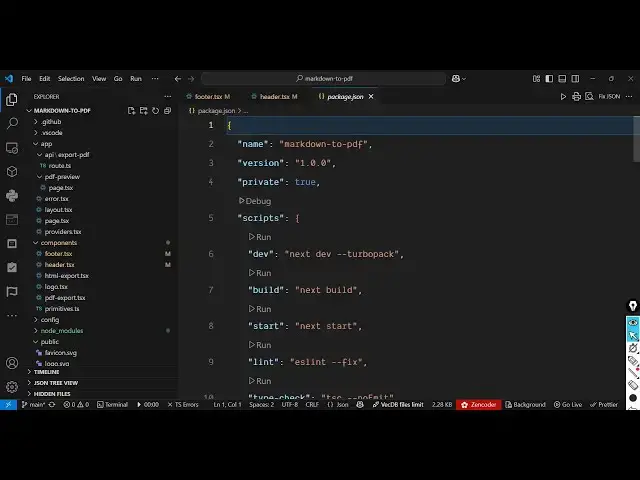
2:33
application. If I show you the package
2:34
doJSON file for this we are using quite
2:37
a number of dependencies. We are using
2:39
React markdown. We are also using uh
2:45
the latest React framework motion as
2:48
well. We are using next the latest
2:50
version framework react 18. So we are
2:55
using the latest versions for building
2:58
this. So it's very simple. So once you
3:01
get the source code you will able to add
3:03
additional features and add and modify
3:07
the code as well. So I've given the link
3:10
you can directly purchase it. It's a
3:11
single page application which is the
3:13
markdown editor which directly runs in
3:16
the browser instant live preview in real
3:19
time and also we get a option to export
3:22
your markdown to HTML or PDF. So
3:25
definitely check out I've given the link