0:00
Uh hello guys, in this video I show you
0:02
I built out a complete uh PDF editor sim
0:06
similar to Adobe Acrobat directly in
0:08
browser. It's completely offline editor
0:10
where you can actually edit your PDF
0:12
files directly in the browser. So let me
0:16
show you the demo. First of all, you
0:18
select a PDF file that you want to edit.
0:21
So once the file is selected, so it will
0:24
show us the total number of pages right
0:26
here. As you can simply see it has easy
0:29
easily all the controls here. You can
0:31
read your PDF file. So we are running
0:34
this NexJS project on localhost 3000. So
0:37
we running it on local host. It's also
0:40
very easy for you to deploy this
0:42
application as well. Let me show you the
0:44
actual package.json file. So we using
0:46
the latest version of next and for
0:50
building this we are also using React
0:52
PDF and PDF lib library as well.
0:55
So if you need the full source code
0:57
guys, you can directly purchase this
0:59
project. After purchasing it, you will
1:01
get a full source code from Google Drive
1:03
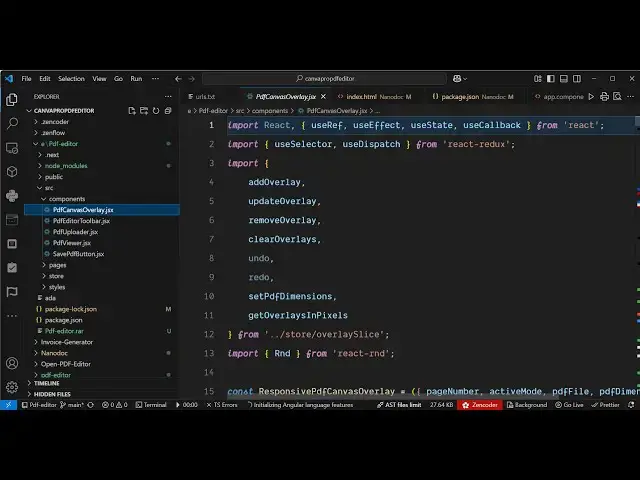
automatically. So all the components as
1:06
you can just see right here, it's
1:08
divided into the JSX file. It's easy for
1:11
you to customize this. Once you purchase
1:13
it, you will get all the source code and
1:15
you will also be able to add more
1:17
functionalities on top of top of this.
1:20
So after selecting this, we have a lot
1:22
of options right here. you can blur
1:25
specific portion. So you can select this
1:27
tool and now this blur tool is
1:30
activated. So here if I want to blur
1:32
blur this portion out. So I simply
1:35
select this and this portion is blurred.
1:39
Again using my mouse I simply can I can
1:59
And also similarly we also have this
2:04
erase tool. So with the help of this
2:06
tool you can delete anything. So again
2:09
you drag your mouse to the portion that
2:14
and this portion will be deleted as you
2:28
You can even add custom text as well. So
2:30
here you can click the add text button.
2:34
So you can basically add the text
2:39
can adjust the size, color, everything
2:41
is customizable. After that you can just
2:45
see here and then click on save PDF. All
2:49
the changes will be successfully saved
2:52
and automatically the PDF will be
2:55
So everything as you can see this has
2:57
been blurred out. This portion is
3:00
removed and the text is successfully
3:02
added. So this is the overall NexJS
3:05
project guys. If you are interested,
3:07
this will save you a lot of time because
3:09
if you it's a readym made project that I
3:11
developed from scratch and if you face
3:14
any sort of problem, I will definitely
3:16
help you after purchase. So it you can
3:19
just see here all the files are
3:23
It's a readymade project and it directly
3:26
runs in the browser. It doesn't have a
3:27
back end. All the processing takes place
3:30
directly in the browser. So it can
3:32
actually execute without internet as
3:35
well. It's completely offline PDF editor
3:38
similar to Adobe Acrobat.
3:41
So if you're interested in this, the
3:43
link is given in the description.